



Repair
Repair Price: $ 360.00
Purchase
CSL Part Number: 15523
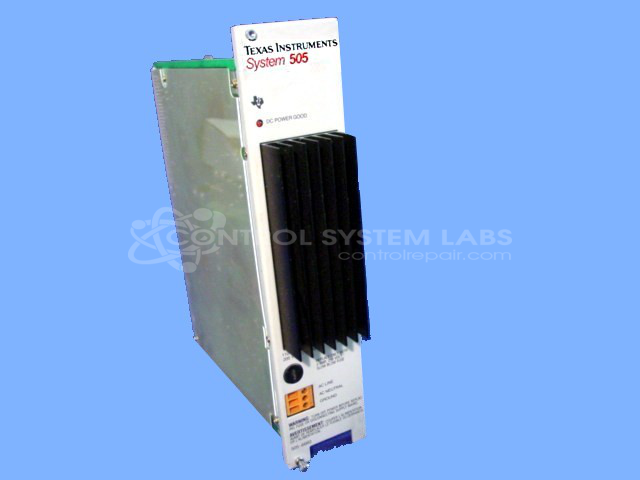
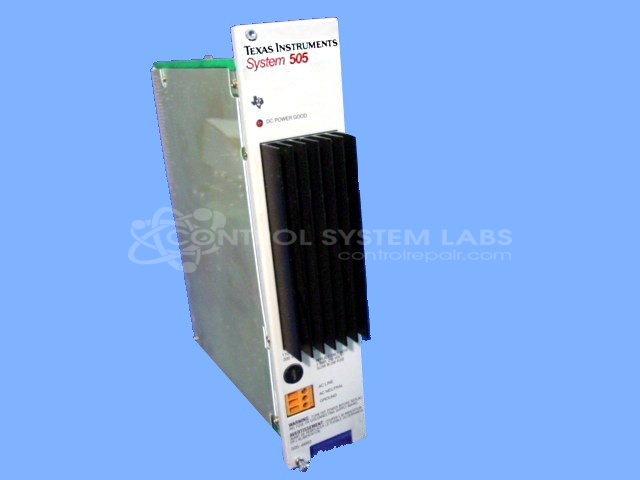
Product Overview: The Simatic TI505 60W Power Supply (model 505-6660) is a switching power supply designed for TI505 programmable logic controller systems. It accepts dual-voltage input of 120/240VAC and provides regulated DC outputs to power PLC processors, I/O modules, and associated control hardware. Originally manufactured by Texas Instruments and later supported by Siemens after their acquisition of the TI505 product line, this unit is commonly found in industrial automation and process control applications across manufacturing, packaging, and material handling systems.
Category: PLC
Manufacturer: Texas Instruments
Manufacturer Synonyms: TI, Siemens
Alternate Manufacturer Names: Siemens
Manufacturer Part Number: 505-6660
Series: Simatic TI505 PLC
Other Synonyms: Siemens
Power supplies are tested with a minimum 4-hour burn-in, under load.
Common Failures
This product can experience issues related to capacitor degradation, which may result in trace corrosion or ripple on the power supply output.
Repair Approach
When capacitor-related issues are identified during evaluation, capacitors are replaced as needed. In some cases, additional issues may be present that require further evaluation or may affect repairability.
Testing & Quality
Units are tested to verify functionality. If excessive ripple or other conditions persist after repair attempts, the unit may be determined to be Beyond Economic Repair (BER).
Service and repair your broken Texas Instruments part
We can repair your Texas Instruments model 505-6660 in our facility. Let our skilled technicians get your Texas Instruments back in operation quickly.
Step 1 - Click the green 'Repair Now' button above to add the part and then complete the RMA.
Step 2 - The RMA form will be sent to you via email. Print the RMA form and put it in a box with the item(s) for repair.
Step 3 - Ship or mail the box to the address listed on the RMA.
Once the user has seen at least one product this snippet will be visible.