



Repair
Repair Price: $ 396.00
Purchase
CSL Part Number: 27332
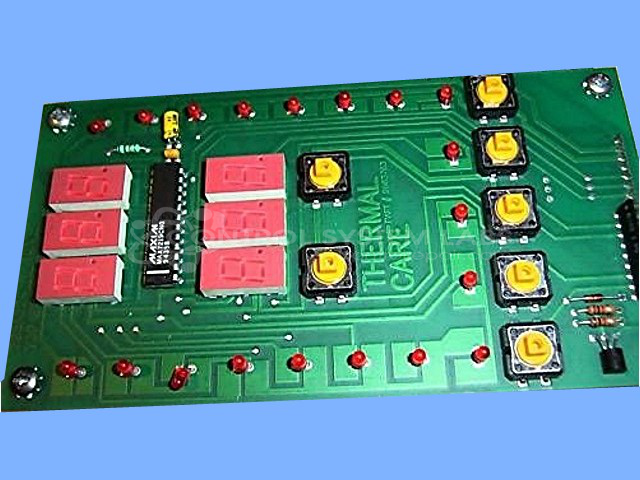
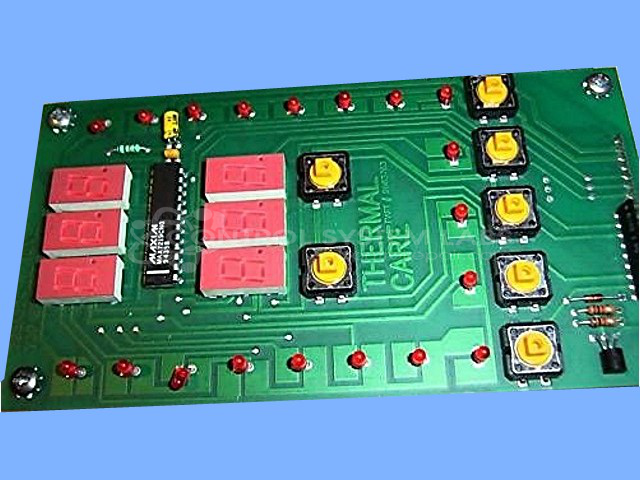
Product Overview: The Accuchiller Keyboard and Display is a human-machine interface component for Thermal Care industrial chillers. It provides operator input via membrane keyboard and visual feedback through LED displays for monitoring and controlling chiller parameters such as temperature setpoints, alarm conditions, and system status. The assembly integrates a display driver circuit that interfaces between the main chiller control board and the multi-digit LED display segments. Commonly used in process cooling applications including injection molding, laser cutting, and industrial manufacturing where precise temperature control is critical.
Category: Chiller Controls
Manufacturer: Thermal Care
Manufacturer Part Number: 9603783
Include main board for this repair.
Common Failures
Water damage can affect various components, particularly the keyboard and display. Intermittent display failure has been observed in some units, which may be related to the display driver IC or capacitors on the power rail.
Repair Approach
The repair process involves diagnostic testing to identify defective components. Once the unit is received and reviewed, we can provide a quotation before any repair work begins. Replacement of identified components may be necessary to restore functionality. Careful testing helps verify that voltage is properly reaching all components.
Testing & Quality
Post-repair, units undergo thorough testing, including power application and verification of LEDs and display segments. This testing is performed to confirm that the device functions under normal conditions.
Service and repair your broken Thermal Care part
We can repair your Thermal Care model 9603783 in our facility. Let our skilled technicians get your Thermal Care back in operation quickly.
Step 1 - Click the green 'Repair Now' button above to add the part and then complete the RMA.
Step 2 - The RMA form will be sent to you via email. Print the RMA form and put it in a box with the item(s) for repair.
Step 3 - Ship or mail the box to the address listed on the RMA.
Once the user has seen at least one product this snippet will be visible.