




Repair
Repair Price: $ 1,280.00
Purchase
CSL Part Number: 119189
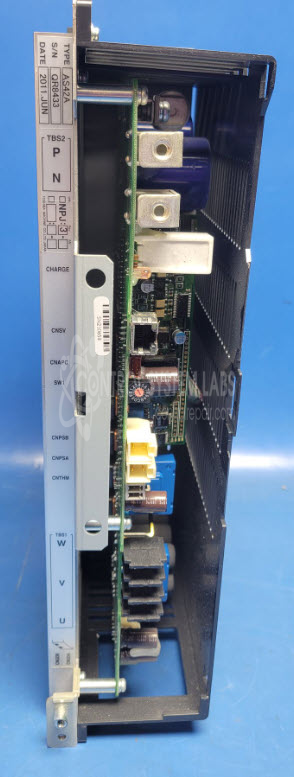
Product Overview: The Toshiba AS42A is a servo amplifier unit designed to drive servo motors in industrial motion control applications. It operates on 220VDC bus voltage and features power indication via LED, relay-based control, and a modular output stage for U, V, W motor phase connections. Common applications include paper processing machinery and other automated production equipment requiring precise motor positioning and speed control. The unit utilizes high-voltage electrolytic capacitors in its DC bus circuit and incorporates fuse protection for overcurrent conditions.
Category: Servo Controls
Manufacturer: Toshiba
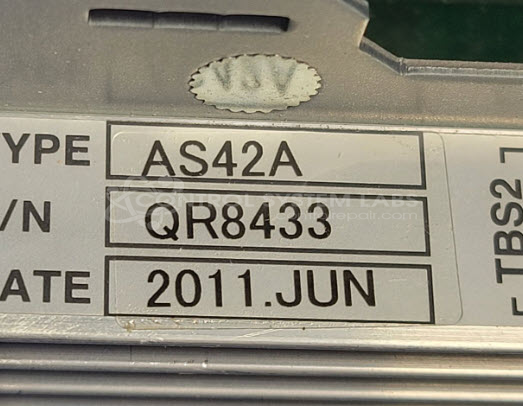
Manufacturer Part Number: AS42A
plese include manuals wiring diagrams and information off the motor this is used with.
Common Failures
Units received for evaluation commonly exhibit open power fuses and defective bus capacitors, which may appear domed. These conditions can result in the unit being non-operational. Other components, such as the output module and relays, typically show no faults upon inspection.
Repair Approach
Repairs typically involve replacing defective power fuses and bus capacitors. Additional capacitors may be replaced as a preventative measure to support long-term reliability. If terminal screws are found to be missing during evaluation, replacements are installed.
Testing & Quality
Post-repair testing includes powering the unit with a 220Vdc supply and verifying that charge and power LEDs function as expected. Basic diagnostic procedures are performed. A burn-in test without load is conducted to confirm initial functionality. Further testing at the machine or system level should be completed by the customer upon receipt.
Service and repair your broken Toshiba part
We can repair your Toshiba model AS42A in our facility. Let our skilled technicians get your Toshiba back in operation quickly.
Step 1 - Click the green 'Repair Now' button above to add the part and then complete the RMA.
Step 2 - The RMA form will be sent to you via email. Print the RMA form and put it in a box with the item(s) for repair.
Step 3 - Ship or mail the box to the address listed on the RMA.
Once the user has seen at least one product this snippet will be visible.