



Repair
Repair Price: $ 604.00
Purchase
CSL Part Number: 102597
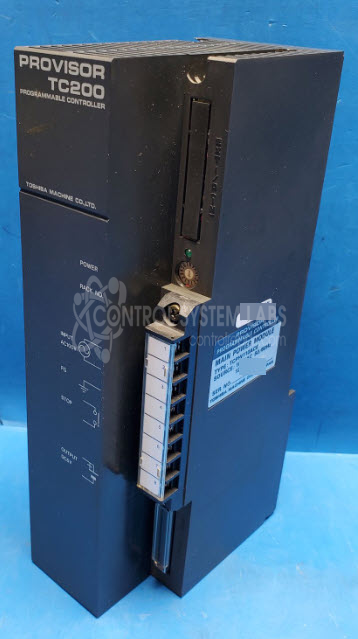
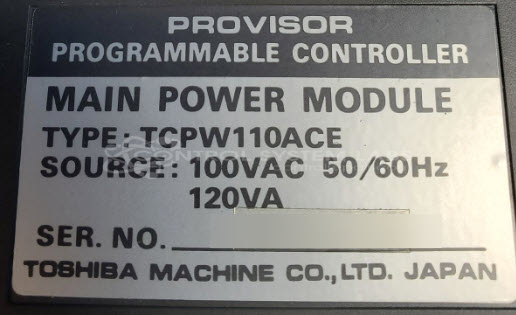
Product Overview: The Toshiba Machine Provisor Programmable Main Power Module (TCPW110ACE) is a PLC power supply module designed for the Proviser series programmable logic controllers. It converts 110 VAC input to regulated DC outputs, including 5 VDC for logic circuits and 24 VDC for field devices. This module provides power distribution and regulation for Proviser PLC systems used in industrial automation and machine control applications. The unit contains digital logic ICs for control functions and power regulation circuitry housed in a modular case for integration into Proviser control cabinets.
Category: PLC
Manufacturer: Toshiba Machine
Manufacturer Synonyms: Shibaura Machine
Manufacturer Part Number: TCPW110ACE
Series: Proviser PLC
Common Failures
Common failure modes for this product include power output issues, such as no output or incorrect voltage levels. Physical damage during shipping may also contribute to failure.
Repair Approach
Repairs may involve component replacement within the power module. Securing the assembly within the case is also addressed during repair when needed.
Testing & Quality
After repairs, units are tested to verify proper power supply operation and output voltage. Additional functional testing may be performed as needed based on the unit's condition and evaluation findings.
Service and repair your broken Toshiba Machine part
We can repair your Toshiba Machine model TCPW110ACE in our facility. Let our skilled technicians get your Toshiba Machine back in operation quickly.
Step 1 - Click the green 'Repair Now' button above to add the part and then complete the RMA.
Step 2 - The RMA form will be sent to you via email. Print the RMA form and put it in a box with the item(s) for repair.
Step 3 - Ship or mail the box to the address listed on the RMA.
Once the user has seen at least one product this snippet will be visible.