




Repair
Repair Price: $ 592.00
Purchase
CSL Part Number: 36761
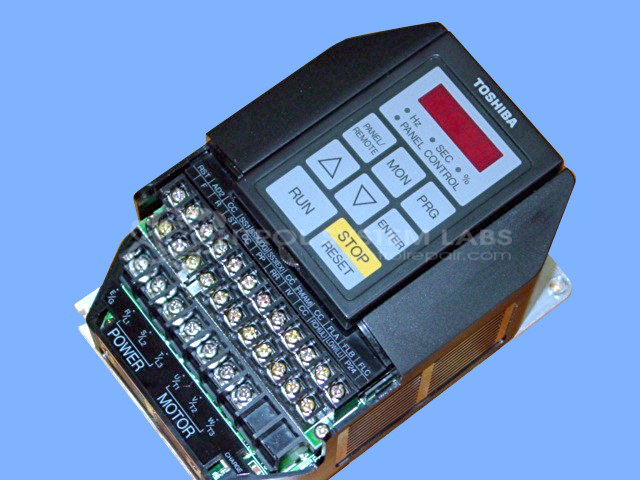
Product Overview: A compact AC variable frequency drive (inverter) for controlling three-phase AC induction motors. Rated 208-230V, 1/8 HP, with an integrated keypad/programmer panel for parameter setup and speed control. Used in industrial motor-driven equipment such as pumps, fans, and conveyors.
Category: AC Motor Controls
Manufacturer: Toshiba
Manufacturer Part Number: VFSX-2001P W/CBVX-7B
Series: VF-SX VF-SXN TOSVERT INVERTER
Repairs are for the drive only. Please include the keypad if possible. If the keypad requires repair it will be quoted separately.
Common Failures
Customers have commonly experienced issues related to corroded traces and failed output sections. Corrosion often affects component functionality, leading to control problems, while failed outputs can cause error messages in the panel control module.
Repair Approach
Our repair team addresses corrosion by cleaning and re-tinning traces, followed by replacing capacitors as needed. For failed output sections, the approach includes replacing the affected outputs, drivers, and base components while ensuring the integrity of the main board. These repairs are completed with thorough verification of all DC supplies and the operation of the unit.
Testing & Quality
Each repaired unit undergoes testing, including running on a motor for several hours to verify functionality. Post-repair, customers are advised to verify voltages, wiring, and motor functions, as well as check operating parameters to maintain optimal performance.
Service and repair your broken Toshiba part
We can repair your Toshiba model VFSX-2001P W/CBVX-7B in our facility. Let our skilled technicians get your Toshiba back in operation quickly.
Step 1 - Click the green 'Repair Now' button above to add the part and then complete the RMA.
Step 2 - The RMA form will be sent to you via email. Print the RMA form and put it in a box with the item(s) for repair.
Step 3 - Ship or mail the box to the address listed on the RMA.
Once the user has seen at least one product this snippet will be visible.