




Repair
Repair Price: $ 749.00
Purchase
CSL Part Number: 117336
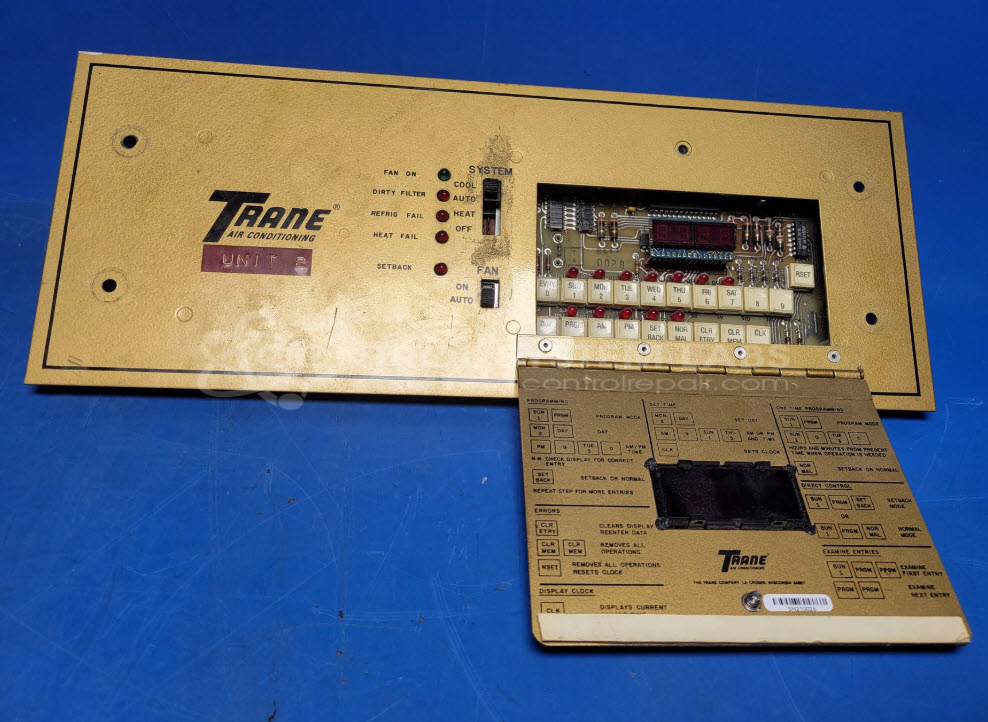
Product Overview: The Trane X13690118-01 is a unitary control panel designed for HVAC rooftop units, functioning as a night setback control system. It manages temperature scheduling and thermostat communication by outputting DC voltage signals to connected thermostats and receiving feedback from the unit. The panel includes programmable time-of-day scheduling, relays for switching operations, and operates on 24VAC input power. It features multiple switches and indicators for fan mode selection and system status monitoring. Common in commercial building climate control applications, it enables energy-saving setback programming during unoccupied hours.
Category: Operator & Control Panels
Manufacturer: Trane
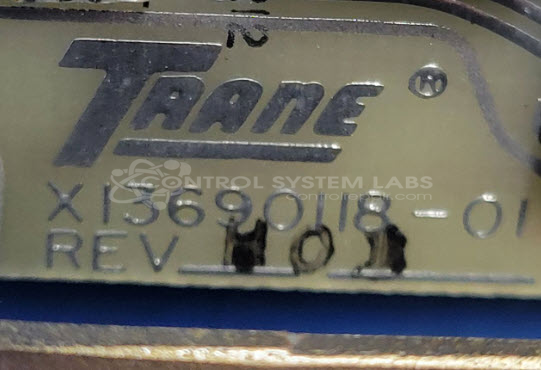
Manufacturer Part Number: X13690118-01
Please include wiring diagrams and manuals with the item. Typically these were used as a Night Setback Panel (NSB) C Style RTUs this is Pre-intellipak or larger sized RTUs. Were made obsolete about 40 years ago.
Common Failures
Customers have reported issues with DC voltage output and non-responsive indicator lights. Common findings have included worn components such as resistors, rechargeable batteries, and relay contacts.
Repair Approach
We would be glad to review the item once received. Repairs may involve replacing damaged components such as resistors, batteries, and relays. Routine evaluation also includes inspecting connections, switches, and other components to ensure proper condition.
Testing & Quality
After completing repairs, each unit undergoes testing to verify functionality. All input and output connections are checked against available documentation to confirm correct operation before the unit is returned.
Service and repair your broken Trane part
We can repair your Trane model X13690118-01 in our facility. Let our skilled technicians get your Trane back in operation quickly.
Step 1 - Click the green 'Repair Now' button above to add the part and then complete the RMA.
Step 2 - The RMA form will be sent to you via email. Print the RMA form and put it in a box with the item(s) for repair.
Step 3 - Ship or mail the box to the address listed on the RMA.
Once the user has seen at least one product this snippet will be visible.