




Repair
Repair Price: $ 1,076.00
Purchase
CSL Part Number: 58843
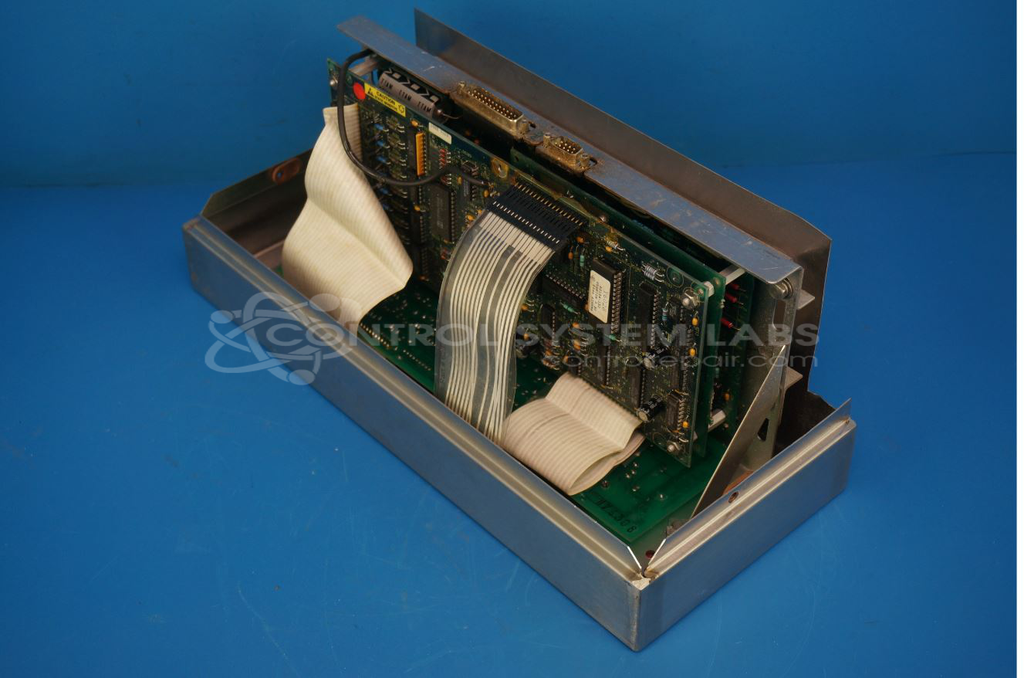
Product Overview: A microprocessor-based temperature control board for commercial Blodgett ovens, regulating cooking temperature and managing burner valve, blower motor, and conveyor operation. Features relay outputs, a keypad interface, and a display PCB for temperature readout, with integrated alarm and buzzer functions.
Category: Temperature Control
Manufacturer: United Electric
Manufacturer Synonyms: UE, United Electric Controls
Manufacturer Part Number: Y6028
Also Known As(AKA): BLODGETT
Repair price is for the control only.
Common Failures
Customers have reported issues such as units not working or failing to start, display problems due to intermittent connections, non-functional buttons, and incidents of smoke and non-operating motors. Specific symptoms included intermittent connections on the display PCB, shorted blower relay outputs, and shorted burner valve relay outputs.
Repair Approach
For display issues, the connections were resoldered to restore functionality. Units tested with No Fault Detected results were likely due to simulated customer errors or external power connection issues. If internal components were damaged, they were replaced, and all connections and supplies were verified post-repair. Units deemed Beyond Economic Repair after exhaustive testing were returned to the customer or recycled at no charge per customer request.
Testing & Quality
Repaired units underwent various verification tests, including burn-in procedures to ensure operational stability and reliability. Tests confirmed temperature reading functionality, proper operation of relays, and correct behavior of control outputs.
Service and repair your broken United Electric part
We can repair your United Electric model Y6028 in our facility. Let our skilled technicians get your United Electric back in operation quickly.
Step 1 - Click the green 'Repair Now' button above to add the part and then complete the RMA.
Step 2 - The RMA form will be sent to you via email. Print the RMA form and put it in a box with the item(s) for repair.
Step 3 - Ship or mail the box to the address listed on the RMA.
Once the user has seen at least one product this snippet will be visible.