




Repair
Repair Price: $ 5,000.00
Purchase
CSL Part Number: 69396
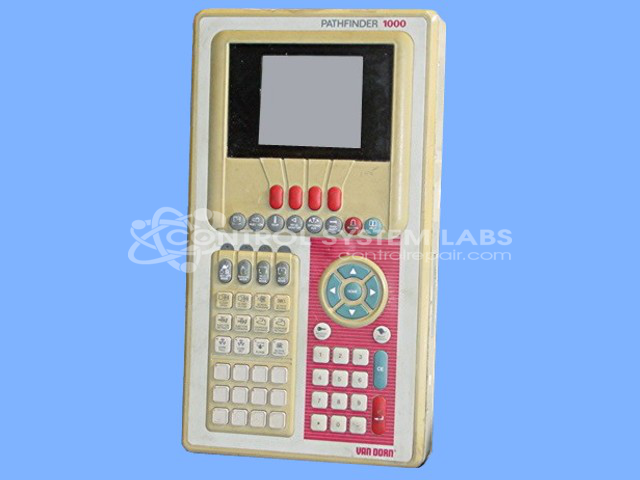
Product Overview: An operator interface station for injection molding machines, providing machine control and monitoring through a 320x240 graphic display and membrane keypad. It enables operators to view process pages and adjust molding parameters, with configurations using EL or LCD displays and backlight power supplies.
Category: Operator & Control Panels
Manufacturer: Van Dorn
Alternate Manufacturer Names: 330003R MODEL#
Manufacturer Part Number: 1000
Also Known As(AKA): 330003R MODEL#
Other Synonyms: 330003R MODEL#
Common Failures
Typical issues with this product include unreadable or non-functional screens, lines appearing on the display, and dim screen illumination. Problems often arise from a failing LCD, defective display mounts, or worn buttons. Conductive buildup on the circuit board and issues with the keypad contacts are also noted.
Repair Approach
Repairs commonly involve replacing defective screens, retrofitting with new LCDs, and adjusting contrast settings. When necessary, components such as power supplies and mounting brackets are updated. Keypad and button repairs are performed, and corrective measures are taken for display mount security, including replacing damaged shock mounts and adding necessary hardware.
Testing & Quality
Post-repair testing includes functionality checks and burn-in procedures to verify reliability. Steps such as cleaning, contrast adjustment, and verification of display and keypad operations are integral parts of the quality assurance process.
Limited Repair
The Van Dorn part number is only available as a limited repair at our facility. Repairs to this item may be limited due to several reasons:
- Availability of parts
- Less than 100% test ability due to required support equipment
To have us attempt a repair on your Van Dorn part follow these steps:
Step 1 -
Click the Repair Now button above to add the part and complete the RMA form.
Step 2 -
Print the RMA form that is sent to your email, and put it in the box with the parts for repair.
Step 3 -
Mail the box to the address on the RMA.
After we receive your item, we will perform an inspection and an authorization to repair will be sent for your approval. Work will begin after your authorization is received.
Once the user has seen at least one product this snippet will be visible.