



Repair
Repair Price: $ 3,676.00
Purchase
CSL Part Number: 23142
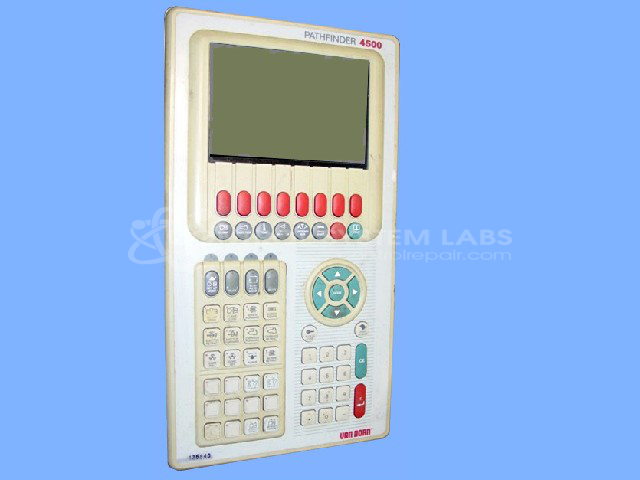
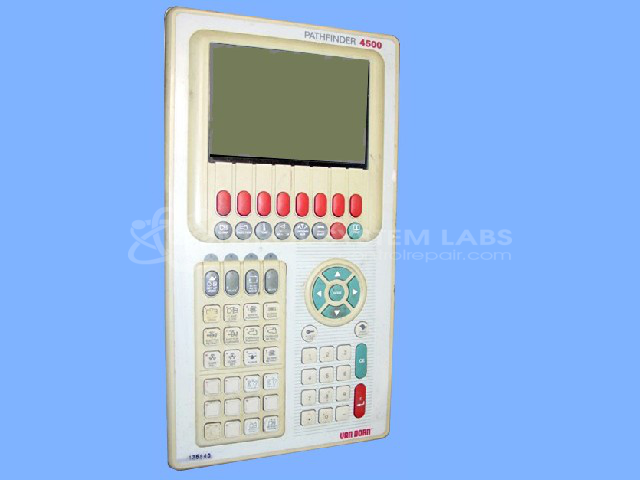
Product Overview: The Pathfinder 4500 Operator Station is a human-machine interface (HMI) control panel designed for Van Dorn/Demag plastic injection molding machines. It provides machine operators with visual monitoring and manual control capabilities through an integrated display screen and keypad interface. The unit communicates with the Pathfinder PLC rack to enable real-time process control, parameter adjustment, and system diagnostics. Common configurations include a DIP-14 oscillator module for timing functions and SOIC latch drivers for signal processing. This operator station is essential for production control in plastics manufacturing environments.
Category: Operator & Control Panels
Manufacturer: Van Dorn/Demag
Manufacturer Synonyms: Sumitomo DEMAG
Manufacturer Part Number: 340661
Series: Pathfinder Operator Station
Limited repairs are available/ must send in for inspection.
Common Failures
One of the frequent issues reported with this product is the inability to read the screen on the controller unit. This can be due to defective components within the display system.
Repair Approach
The repair process involves diagnostic testing to identify faulty components, such as oscillator modules, which may cause noise lines in the graphic display. Preventative replacements of capacitors on the display board may also be undertaken. Additionally, cleaning of the keypad and frame is performed as part of the repair service. In some cases, reconnection of internal wiring, like fan wires, may be necessary to resolve operational issues.
Testing & Quality
After repairs, the unit undergoes testing, including a burn-in test, to evaluate communication with the Pathfinder PLC rack and verify that functionalities have been addressed. Quality control procedures are in place to support repair standards.
Service and repair your broken Van Dorn/Demag part
We can repair your Van Dorn/Demag model 340661 in our facility. Let our skilled technicians get your Van Dorn/Demag back in operation quickly.
Step 1 - Click the green 'Repair Now' button above to add the part and then complete the RMA.
Step 2 - The RMA form will be sent to you via email. Print the RMA form and put it in a box with the item(s) for repair.
Step 3 - Ship or mail the box to the address listed on the RMA.
Once the user has seen at least one product this snippet will be visible.