




Repair
Repair Price: $ 632.00
Purchase
CSL Part Number: 11518
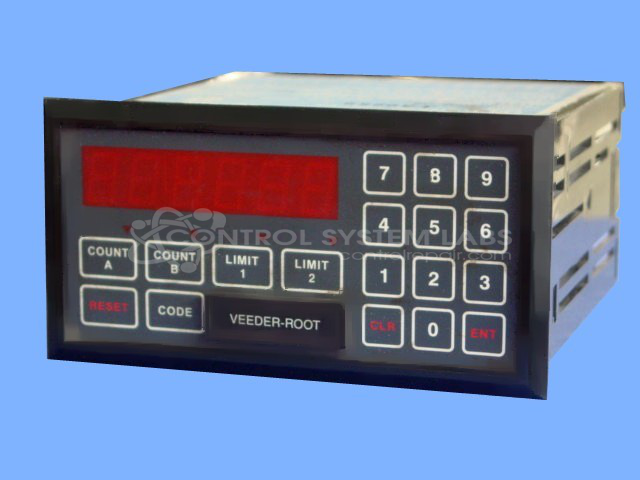
Product Overview: A predetermining counter with communication capability, used to count and control process cycles by triggering relay outputs when preset values are reached. Common in industrial automation and packaging equipment. Features a front-panel keypad for programming, LED display, relay outputs, and operates on 220VAC at approximately 20W.
Category: Counters
Manufacturer: Veeder Root
Manufacturer Part Number: 791086-200
Series: 7910 Counter
Keypad replacement, if required, is quoted after evaluation.
Common Failures
Common issues reported include front panel reset failures, intermittent keypad operation, overheating with unexpected shutdown, and display or keypad becoming inoperative.
Repair Approach
Our team evaluates each unit and addresses failures as identified during inspection and testing. Repairs have included keypad and zebra strip replacement, capacitor replacement to support stable operation, replacement of defective voltage regulators and microprocessors, and connector pin repair or replacement to restore proper electrical connections.
Testing & Quality
Units are tested after repair to verify functionality. Testing may include extended operation under loaded conditions to confirm stable performance. Our goal is to return each unit in serviceable condition, with all critical functions verified before shipment.
Service and repair your broken Veeder Root part
We can repair your Veeder Root model 791086-200 in our facility. Let our skilled technicians get your Veeder Root back in operation quickly.
Step 1 - Click the green 'Repair Now' button above to add the part and then complete the RMA.
Step 2 - The RMA form will be sent to you via email. Print the RMA form and put it in a box with the item(s) for repair.
Step 3 - Ship or mail the box to the address listed on the RMA.
Once the user has seen at least one product this snippet will be visible.