




Repair
Repair Price: $ 384.00
Purchase
CSL Part Number: 16442
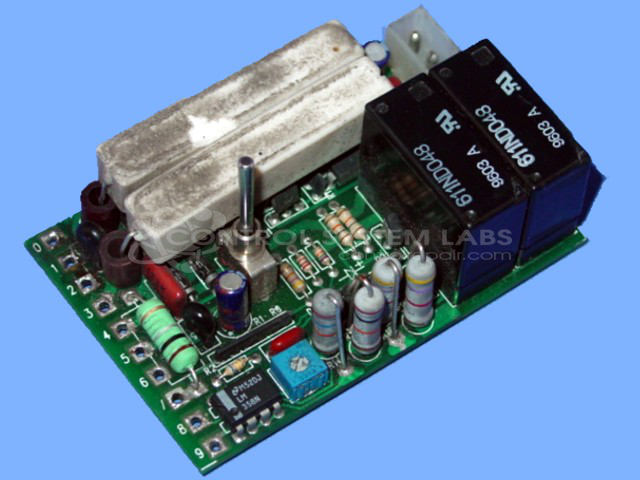
Product Overview: A DC motor control card designed to drive and regulate the direction of DC motors in chain lift and hoisting systems. It manages bidirectional motor operation and includes mains fuse protection, commonly used in material handling and industrial lifting equipment.
Category: DC Motor Controls
Manufacturer: W.R.D. Corp. Duff Norton
Manufacturer Part Number: AB04B005
Also Known As(AKA): DUFF NORTON
Common Failures
A frequently reported issue with this product involves damage to the circuit board, specifically a damaged trace between input connections. This damage can result in the failure of board operations and a blown fuse during motor operation in either direction. Additionally, a short circuit caused by this damage might contribute to the problem.
Repair Approach
The repair process typically involves identifying and repairing the damaged trace on the circuit board. In this case, technicians repaired the damaged trace and cleaned the affected area to restore functionality. Customers are advised to check for potential short circuits in the wiring before reinstalling the repaired board.
Testing & Quality
To ensure the quality of the repair, the board undergoes thorough testing according to standard operating procedures. This includes a verification of operation and a burn-in test that lasts up to 10 hours to confirm stability and functionality post-repair.
Service and repair your broken W.R.D. Corp. Duff Norton part
We can repair your W.R.D. Corp. Duff Norton model AB04B005 in our facility. Let our skilled technicians get your W.R.D. Corp. Duff Norton back in operation quickly.
Step 1 - Click the green 'Repair Now' button above to add the part and then complete the RMA.
Step 2 - The RMA form will be sent to you via email. Print the RMA form and put it in a box with the item(s) for repair.
Step 3 - Ship or mail the box to the address listed on the RMA.
Once the user has seen at least one product this snippet will be visible.