



Repair
Repair Price: $ 608.00
Purchase
CSL Part Number: 10710
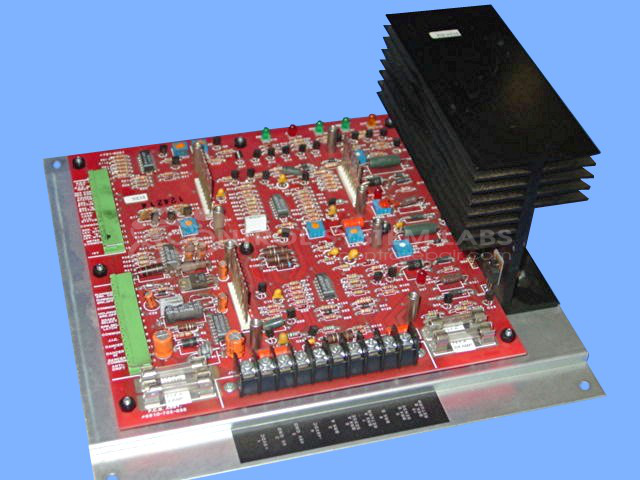
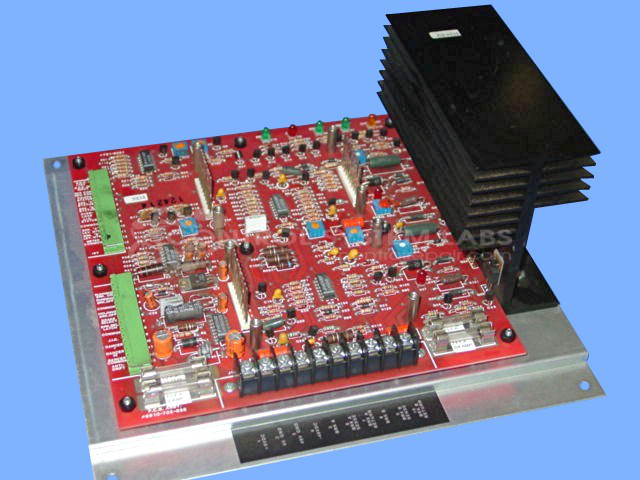
Product Overview: The 6910-702-035 is a tension control board manufactured by Warner Electric for splicer applications in web handling systems. It regulates brake operation to maintain precise tension during material splicing in paper processing and converting equipment. The board features dual independent brake outputs (A and B) with adjustable control, overload protection, and jam-in-creep functionality. It operates on dual voltage supplies (48VDC and 9VDC) and uses MOSFET-based output drivers to control electromagnetic brakes, ensuring smooth material tension transitions during splice operations.
Category: Operator Interface
Manufacturer: Warner Electric
Manufacturer Synonyms: Seco, Altra Industrial Motion
Manufacturer Part Number: 701-9351 W/O OPTION CARDS
Also Known As(AKA): 6910-702-035 ON BOAR
Common Failures
Common failures observed in this product include brakes remaining engaged, burned components, and defective capacitors. These issues may result from component wear, incorrect power supply connections, or age-related deterioration.
Repair Approach
Repairs typically involve replacing defective parts such as resistors, transistors, capacitors, and fuses. Preventative maintenance may include replacing components that show signs of wear or heat exposure. In some cases, previous repair work is corrected to restore proper function.
Testing & Quality
After repairs are completed, diagnostic testing is conducted, including burn-in tests with load and verification of independent operation of both outputs. Units are tested to confirm proper operation before being returned.
Service and repair your broken Warner Electric part
We can repair your Warner Electric model 701-9351 W/O OPTION CARDS in our facility. Let our skilled technicians get your Warner Electric back in operation quickly.
Step 1 - Click the green 'Repair Now' button above to add the part and then complete the RMA.
Step 2 - The RMA form will be sent to you via email. Print the RMA form and put it in a box with the item(s) for repair.
Step 3 - Ship or mail the box to the address listed on the RMA.
Once the user has seen at least one product this snippet will be visible.