




Repair
Repair Price: $ 1,140.00
Purchase
CSL Part Number: 35318
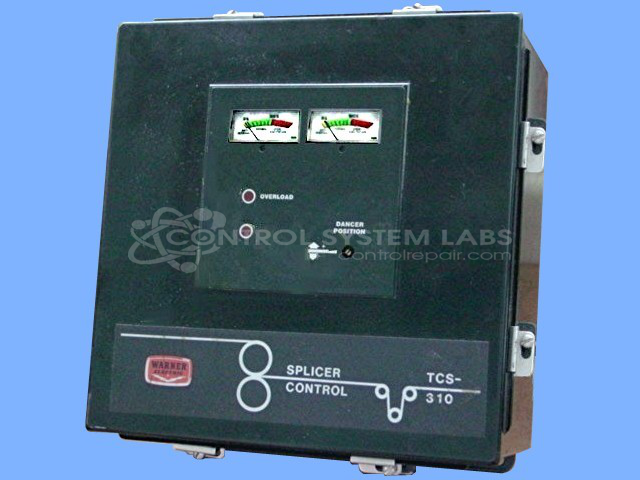
Product Overview: A splicer control box serving as an operator interface for web splicing systems. It manages channel selection between two inputs, regulates power output up to 45V, and includes meter monitoring. Built as a complete controller with two integrated sub boards, it is used in web handling and material processing equipment.
Category: Operator Interface
Manufacturer: Warner Electric
Manufacturer Synonyms: Seco, Altra Industrial Motion
Manufacturer Part Number: TCS310
Common Failures
Common symptoms reported for this product include the inability to switch between channels, absence of power indicator light, constant full output voltage, and lack of meter movement. These issues may arise from internal card configurations or component-level concerns.
Repair Approach
Our repair approach typically includes removing and reinstalling all boards, straightening connector pins, cleaning connectors, and replacing blown fuses as needed. Missing hardware is replaced, and all components are thoroughly tested outside of the control unit to verify proper operation.
Testing & Quality
For quality assurance, post-repair testing includes verifying the operation of all power supplies under load and conducting an overnight operational check. Complete sets of boards are reinstalled, and proper functionality is confirmed before the unit is returned.
Service and repair your broken Warner Electric part
We can repair your Warner Electric model TCS310 in our facility. Let our skilled technicians get your Warner Electric back in operation quickly.
Step 1 - Click the green 'Repair Now' button above to add the part and then complete the RMA.
Step 2 - The RMA form will be sent to you via email. Print the RMA form and put it in a box with the item(s) for repair.
Step 3 - Ship or mail the box to the address listed on the RMA.
Once the user has seen at least one product this snippet will be visible.