


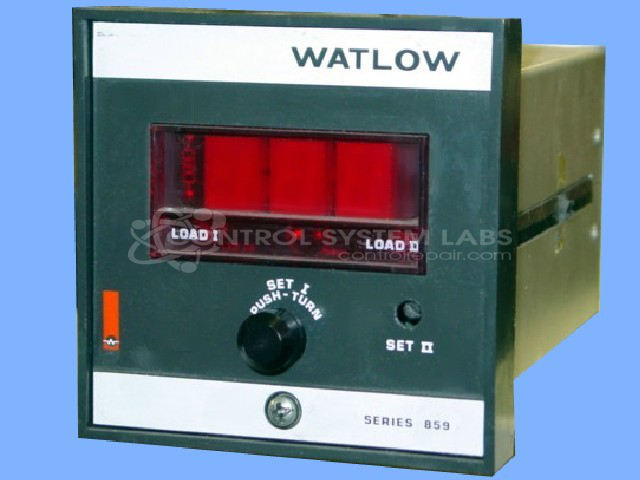


Repair
Repair Price: $ 348.00
Purchase
CSL Part Number: 3462
Product Overview: A 1/4 DIN panel-mount digital indicating temperature controller providing closed-loop process control with digital setpoint readout. It accepts thermocouple input and drives relay outputs to regulate heating in industrial ovens, furnaces, and process equipment. Available in multiple configurations with over-temperature protection.
Category: Temperature Control
Manufacturer: Watlow
Manufacturer Part Number: 859
The 859 Series is available in multiple configurations. We have many rebuilt units for sale in stock. Contact us with your exact part number
Common Failures
Units commonly experience issues such as malfunctioning relays, faulty capacitors, worn or damaged potentiometers, and defective integrated circuits. These problems can lead to symptoms like excessive heating, incorrect setpoints, or unit shutdowns. Additionally, issues with flat flex cables and traces have been identified.
Repair Approach
Repairs often involve cleaning or replacing key components such as relays, capacitors, and potentiometers. Resoldering connections and repairing traces on the boards are common tasks. Units are thoroughly bench tested and calibrated to verify functionality. In cases where a specific customer concern has been documented, further diagnostics and targeted repairs are performed to address the reported issue.
Testing & Quality
Testing is carried out after repairs to verify that units function correctly. This includes checking power supplies, calibrating settings, and conducting load tests. Burn-in tests may be performed to verify the stability of repairs made to the unit.
Service and repair your broken Watlow part
We can repair your Watlow model 859 in our facility. Let our skilled technicians get your Watlow back in operation quickly.
Step 1 - Click the green 'Repair Now' button above to add the part and then complete the RMA.
Step 2 - The RMA form will be sent to you via email. Print the RMA form and put it in a box with the item(s) for repair.
Step 3 - Ship or mail the box to the address listed on the RMA.
Once the user has seen at least one product this snippet will be visible.