



Repair
Repair Price: $ 448.00
Purchase
CSL Part Number: 73533
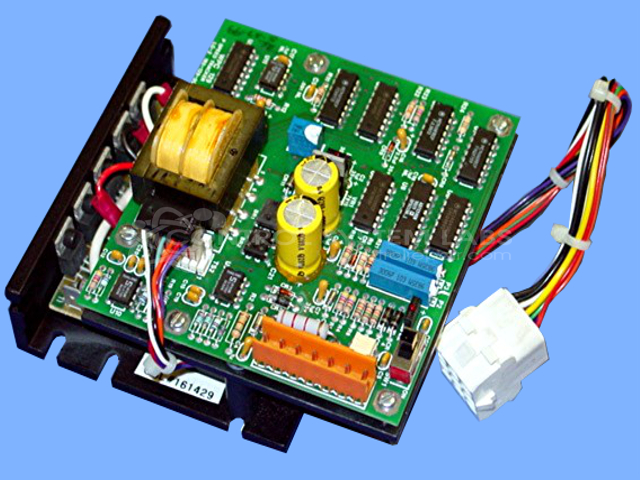
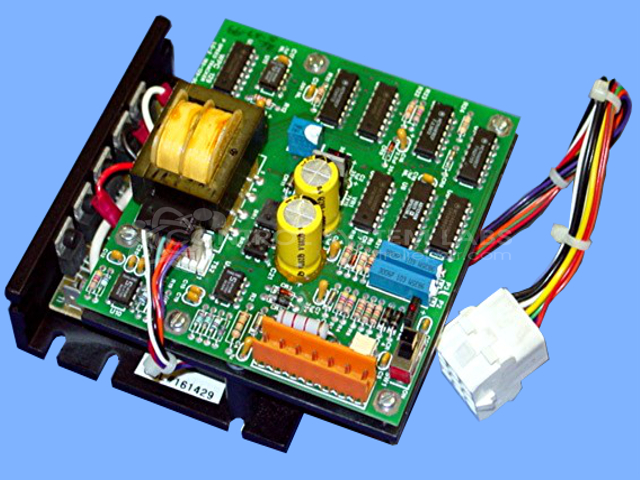
Product Overview: The Speed Tracker Board with Motor Control is an integrated control system combining Web Printing Controls' 185-129-00 speed tracking board with a KBIC-120 DC motor drive. It provides closed-loop speed regulation and synchronization for web handling applications in printing presses, coating lines, and paper converting equipment. The board monitors web speed and adjusts motor output to maintain tension and registration. It interfaces with encoders or tachometers for feedback and includes adjustable speed tracking ratios, enabling precise coordination between multiple drive sections in web-fed machinery.
Category: Motor Controls
Manufacturer: Web Printing Controls
Manufacturer Synonyms: WPC, Baldwin
Manufacturer Part Number: 185-129-00 W/ KBIC-120
Also Known As(AKA): WPC 129
Requires wiring information on the WPC 129 top board.
Common Failures
This product may experience issues related to capacitor degradation, which can affect related components such as resistors. Aluminum electrolytic capacitors have been observed as a common source of component-level concerns.
Repair Approach
Repairs typically involve replacing defective components as identified during evaluation. Our team may recommend replacing additional capacitors during the repair process based on unit condition and evaluation findings.
Testing & Quality
After repairs, diagnostic testing is conducted to verify functionality. Testing procedures may include operational verification and additional checks as appropriate to the unit type. Repaired units are subject to quality review before return shipment.
Service and repair your broken Web Printing Controls part
We can repair your Web Printing Controls model 185-129-00 W/ KBIC-120 in our facility. Let our skilled technicians get your Web Printing Controls back in operation quickly.
Step 1 - Click the green 'Repair Now' button above to add the part and then complete the RMA.
Step 2 - The RMA form will be sent to you via email. Print the RMA form and put it in a box with the item(s) for repair.
Step 3 - Ship or mail the box to the address listed on the RMA.
Once the user has seen at least one product this snippet will be visible.