




Repair
Repair Price: $ 416.00
Purchase
CSL Part Number: 67630
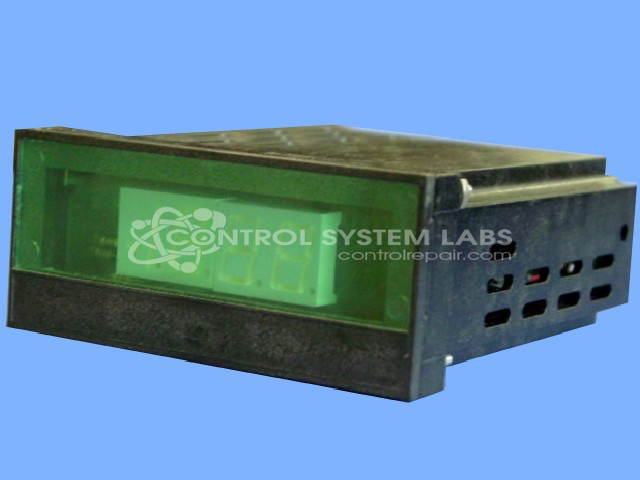
Product Overview: A 1/8 DIN horizontal digital panel meter that accepts a 10-50 mA DC input scaled to display temperature from 0 to 600 degrees F. Features a green LED readout and BCD base configuration, used for process temperature monitoring in industrial control panels.
Category: Meters / Gauges / Readouts
Manufacturer: Westcon
Manufacturer Part Number: 2436-667906
Series: 2436 Model Panel Meter
Common Failures
This product has experienced issues primarily related to capacitors in the power supply and the voltage regulator. Customers have reported non-functional displays and calibration errors as symptoms of these failures. Specific components that have required replacement included a 470uf/25v capacitor, a 100uf/63v capacitor, and a +5V voltage regulator.
Repair Approach
Repairs typically involve replacing faulty capacitors in the power supply, installing a heat sink on the +5V voltage regulator, and repairing wire connections as needed. Once components are replaced and secure, the unit is recalibrated to restore functionality.
Testing & Quality
Post-repair, the product undergoes testing to verify it meets calibration standards. Testing confirms that the display reads accurately from 0 to 600 degrees Fahrenheit and that all indicators function as designed. Performance is verified with standard calibration tests.
Service and repair your broken Westcon part
We can repair your Westcon model 2436-667906 in our facility. Let our skilled technicians get your Westcon back in operation quickly.
Step 1 - Click the green 'Repair Now' button above to add the part and then complete the RMA.
Step 2 - The RMA form will be sent to you via email. Print the RMA form and put it in a box with the item(s) for repair.
Step 3 - Ship or mail the box to the address listed on the RMA.
Once the user has seen at least one product this snippet will be visible.