




Repair
Repair Price: $ 3,268.00
Purchase
CSL Part Number: 21789
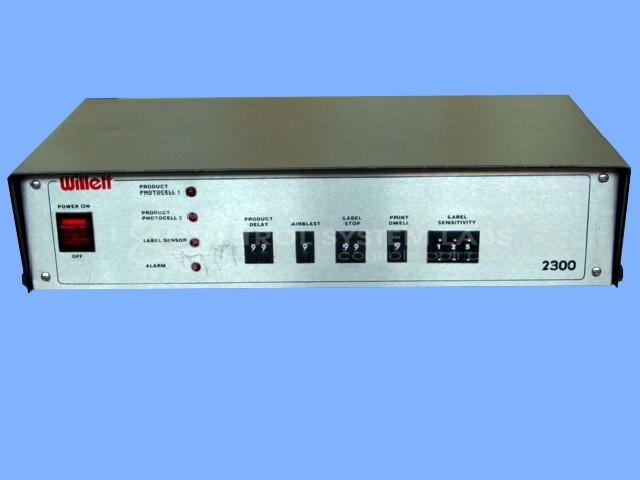
Product Overview: A label applicator controller that manages label printing and dispensing in automated labeling systems. It drives multiple outputs, supports thumbwheel-based parameter settings, and operates on multi-voltage input with internal regulated DC supplies for industrial product marking and packaging lines.
Category: Operator Interface
Manufacturer: Willett
Manufacturer Part Number: 2300
Common Failures
Frequently reported issues involve component failures such as shorted or burnt semiconductors, blown fuses, and damaged circuit traces. Components that have been observed to fail include transformers, rectifiers, logic chips, and power transistors. Improper connections, such as detached wires, have also been identified as causes of operational failures.
Repair Approach
Repairs typically involve replacing faulty components like semiconductors, fuses, and connectors. Common repair actions include cleaning and repairing printed circuit board traces and reattaching loose connections. In instances where damage is extensive, such as burnt transformers and circuit traces, the unit may be deemed Beyond Economic Repair.
Testing & Quality
Following repair, units undergo thorough testing, which includes checks for correct voltage supply and functional output. Units often undergo a burn-in test lasting one to two hours to verify stability and functionality. When repairs are successful, the unit passes all specified tests and is returned to serviceable condition.
Service and repair your broken Willett part
We can repair your Willett model 2300 in our facility. Let our skilled technicians get your Willett back in operation quickly.
Step 1 - Click the green 'Repair Now' button above to add the part and then complete the RMA.
Step 2 - The RMA form will be sent to you via email. Print the RMA form and put it in a box with the item(s) for repair.
Step 3 - Ship or mail the box to the address listed on the RMA.
Once the user has seen at least one product this snippet will be visible.