


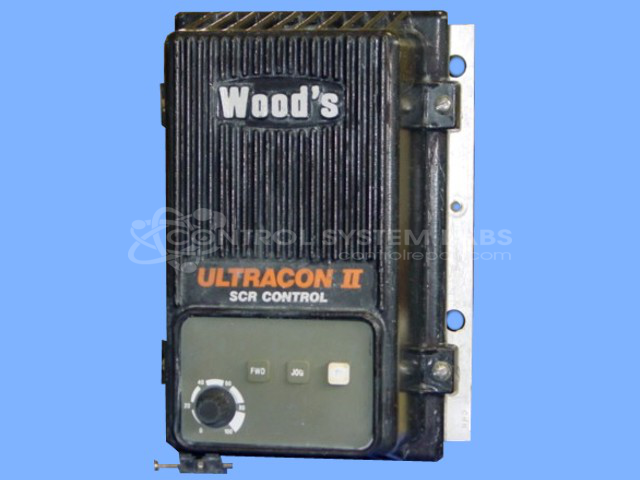


Repair
Repair Price: $ 452.00
Purchase
CSL Part Number: 24809
Product Overview: A DC motor speed control rated for 2 HP, regulating armature voltage to drive and control permanent magnet or shunt-wound DC motors. Features adjustable setpoint, field supply with diode circuit, and selectable 115/230 VAC input producing up to 90 VDC output for industrial drive applications.
Category: DC Motor Controls
Manufacturer: Woods
Manufacturer Synonyms: FUJI, TB Woods, T.B.Woods, Wood's
Manufacturer Part Number: D1C0020
Common Failures
Issues commonly experienced with this product include blown fuses, shorted diodes, and problems with the control setpoint components. Customers have reported symptoms such as the product blowing fuses, even when the motor is not connected, and control malfunctions leading to shorted diodes.
Repair Approach
To address these issues, common repairs may involve replacing damaged components such as fuses, diodes, and setpoint potentiometers. In some cases, upgrades are performed, such as upgrading field diodes to higher amperage ratings. Additional preventative measures may include replacing capacitors and ensuring secure connections.
Testing & Quality
Repairs are followed by testing to verify proper operation. This may include adjusting control output settings, conducting operational runs, and verifying compatibility with customer equipment. Customers are advised to ensure their motors and external wiring are in suitable condition to help prevent recurrence of issues.
Service and repair your broken Woods part
We can repair your Woods model D1C0020 in our facility. Let our skilled technicians get your Woods back in operation quickly.
Step 1 - Click the green 'Repair Now' button above to add the part and then complete the RMA.
Step 2 - The RMA form will be sent to you via email. Print the RMA form and put it in a box with the item(s) for repair.
Step 3 - Ship or mail the box to the address listed on the RMA.
Once the user has seen at least one product this snippet will be visible.