


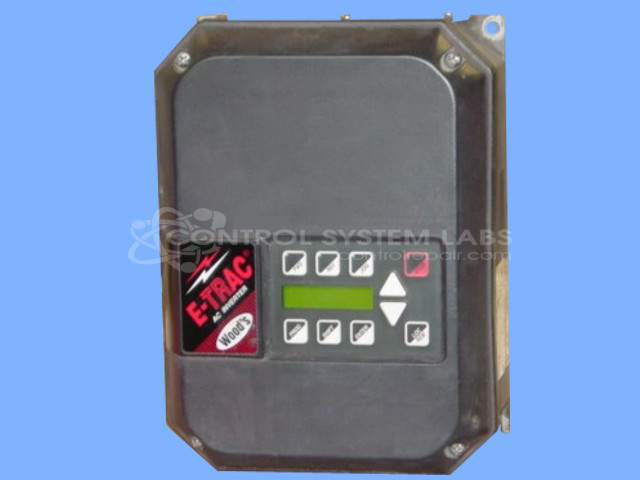


Repair
Repair Price: $ 1,436.00
Purchase
CSL Part Number: 15794
Product Overview: A 5 HP AC inverter motor drive that converts incoming AC into variable-frequency, variable-voltage output to control the speed and torque of three-phase AC induction motors. Featuring an IGBT output stage, cooling fan, and keypad interface, it is used in industrial applications including paper processing equipment.
Category: AC Motor Controls
Manufacturer: Woods
Manufacturer Synonyms: FUJI, TB Woods, T.B.Woods, Wood's
Alternate Manufacturer Names: FUJI
Manufacturer Part Number: WFC4005-0C
Series: E-TRAC WFC Series
Other Synonyms: FUJI
Common Failures
This product may experience issues such as power without operation, output-related problems, or concerns that require evaluation to determine the root cause. Observed failures have included damage to internal components, capacitor aging, and functionality issues requiring detailed inspection.
Repair Approach
Our repair process may involve the replacement of damaged components, cleaning, and hardware reinstallation as needed. Once repairs are completed, units are tested to verify proper operation. The specific repair approach is determined during evaluation, and a quotation is provided before any repair work begins.
Testing & Quality
After repairs are completed, products undergo quality testing. This includes operational verification to confirm that the unit functions as expected. Our testing process is designed to support reliable performance and meet CSL quality standards.
Service and repair your broken Woods part
We can repair your Woods model WFC4005-0C in our facility. Let our skilled technicians get your Woods back in operation quickly.
Step 1 - Click the green 'Repair Now' button above to add the part and then complete the RMA.
Step 2 - The RMA form will be sent to you via email. Print the RMA form and put it in a box with the item(s) for repair.
Step 3 - Ship or mail the box to the address listed on the RMA.
Once the user has seen at least one product this snippet will be visible.