



Repair
Repair Price: $ 1,128.00
Purchase
CSL Part Number: 28479
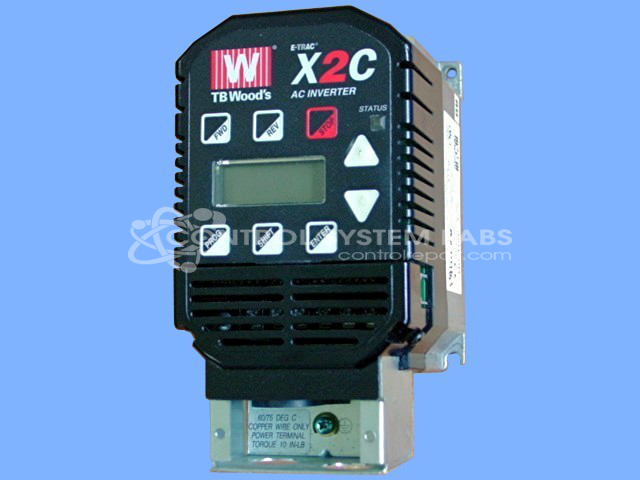
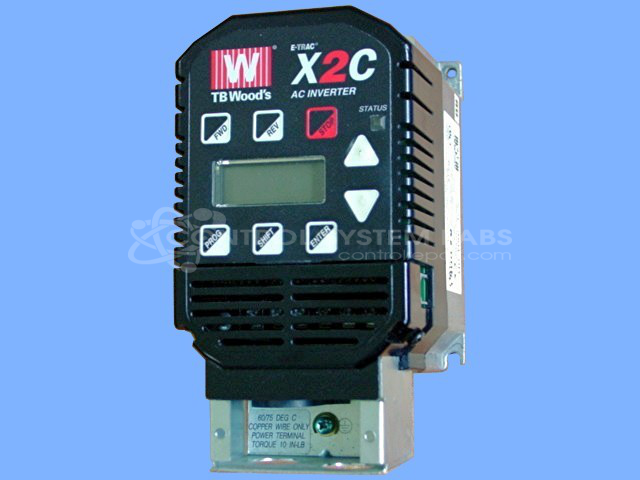
Product Overview: The E-Trac X2C AC Inverter is a 230V, 5 HP variable frequency drive designed to control AC motor speed and torque in industrial applications. Part of the X2C Series, it is commonly used in CNC routers, machine tools, and woodworking equipment where precise spindle speed control is required. The inverter supports multiple input modes and start configurations, enabling flexible integration into automated systems. It features programmable parameters, forward/reverse operation, and protective lockout functions to prevent inadvertent starts during power-up.
Category: AC Motor Controls
Manufacturer: Woods
Manufacturer Synonyms: FUJI, TB Woods, T.B.Woods, Wood's
Manufacturer Part Number: X2C2005-0B
Series: X2C Series AC Inverter
Common Failures
The product may display an "LS_L" message accompanied by a red status lamp during a start command. This often results in a lack of spindle operation. Additionally, an "LS_R" message might appear if switches are not in the correct position when power is applied. These symptoms may indicate an issue with lockout settings.
Repair Approach
We can evaluate the unit to determine the cause of "LS_L" or "LS_R" indications. Resolution may involve adjusting input mode settings, verifying switch positions, addressing environmental factors such as wood dust accumulation, or confirming proper wiring per the manufacturer's specifications.
Testing & Quality
Units are tested to confirm operational stability. Testing may include extended run time with a motor to verify proper function. In some cases, evaluation may reveal No Fault Detected if correct settings and configurations are followed.
Service and repair your broken Woods part
We can repair your Woods model X2C2005-0B in our facility. Let our skilled technicians get your Woods back in operation quickly.
Step 1 - Click the green 'Repair Now' button above to add the part and then complete the RMA.
Step 2 - The RMA form will be sent to you via email. Print the RMA form and put it in a box with the item(s) for repair.
Step 3 - Ship or mail the box to the address listed on the RMA.
Once the user has seen at least one product this snippet will be visible.