


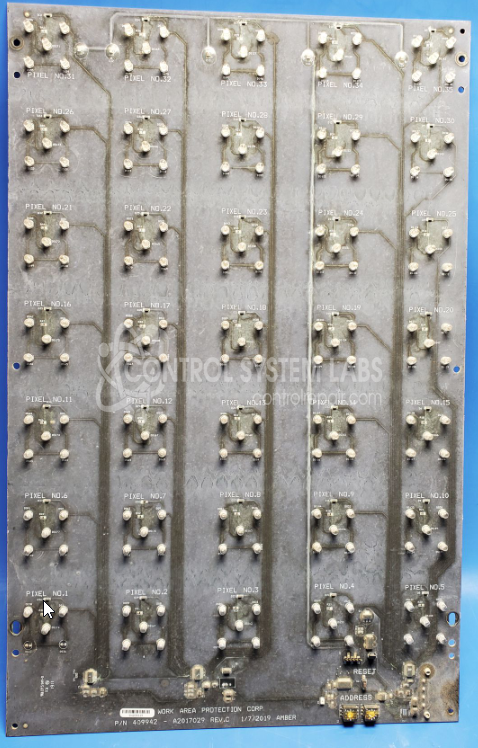
Work Area Protection Corp. 409942 13.5" x 21" 31 Pixel Display Board
Repair
Repair Price: $ 690.00
Purchase
CSL Part Number: 106136
Product Overview: The 13.5" x 21" 31 Pixel Display Board (Part Number 409942) is a visual indicator module manufactured by Work Area Protection Corp. It features 31 amber LED pixels arranged in a matrix for displaying status information or messages. The board operates on regulated 5V power and includes configurable DIP switches for sequencing control and encoder adjustment potentiometers. It is typically used in industrial work area protection systems to communicate operational status, warnings, or instructions to personnel. The display is controlled via surface-mount logic circuitry with MOSFETs driving the LED clusters.
Category: Display
Manufacturer: Work Area Protection Corp.
Manufacturer Synonyms: Hill & Smith Holdings
Manufacturer Part Number: 409942
Brand: W
Chip markings are obliterated on these units
Common Failures
The most frequently encountered issues with this product include broken or missing LEDs, defective regulators, and evidence of liquid damage and corrosion on the circuit board. Damage often results in the unit being unable to power on or function correctly. In some cases, physical damage, such as holes in the board, has been observed.
Repair Approach
Repairs typically include the replacement of defective components such as regulators, diodes, switches, and LEDs. Attention is given to addressing corrosion damage and restoring mechanical integrity through conformal coating removal and application. For physical damages, techniques such as board trace repair and epoxy patching are employed.
Testing & Quality
After repairs, units undergo testing to verify functionality. This includes running through operation sequences and conducting burn-in tests. Testing helps verify reliability and quality post-repair.
Service and repair your broken Work Area Protection Corp. part
We can repair your Work Area Protection Corp. model 409942 in our facility. Let our skilled technicians get your Work Area Protection Corp. back in operation quickly.
Step 1 - Click the green 'Repair Now' button above to add the part and then complete the RMA.
Step 2 - The RMA form will be sent to you via email. Print the RMA form and put it in a box with the item(s) for repair.
Step 3 - Ship or mail the box to the address listed on the RMA.
Once the user has seen at least one product this snippet will be visible.