




Repair
Repair Price: $ 1,800.00
Purchase
CSL Part Number: 61436
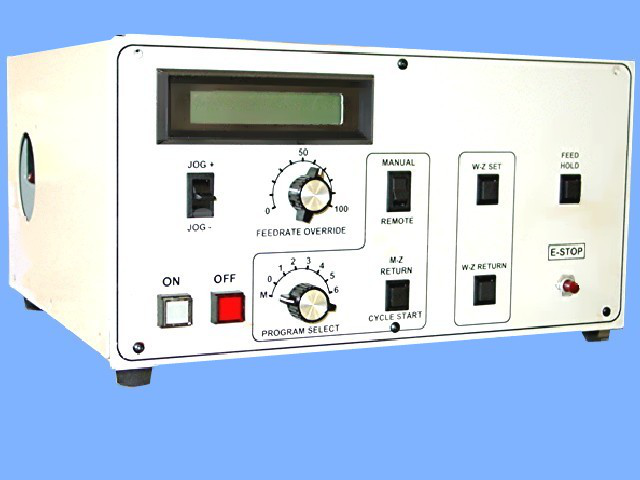
Product Overview: A programmable indexer and motion controller that drives CNC rotary tables, commanding precise angular positioning through configurable parameters and a front-panel selector switch. It integrates a servo drive stage with 24V and 5V power supplies and supports PC communication for programming index increments, feed rates, and position data in automated machining applications.
Category: Machine Control
Manufacturer: Yuasa
Manufacturer Part Number: UDNC-100
Include the Index Head and Cables for this repair.
Common Failures
This model has experienced various operational errors, including position follow errors, feed rate problems, temperature setting issues, and output problems. These issues have been linked to faulty capacitors, connectors, configuration parameters, and blown fuses.
Repair Approach
Repairs have involved replacing electrolytic capacitors, repairing connections, and adjusting operational parameters to resolve functionality issues. Specific tasks have included cleaning PCBs, resoldering contacts, correcting configuration settings, and replacing components such as bridge rectifiers. Additional adjustments have addressed stepping and rotational increment issues.
Testing & Quality
Testing is conducted to verify repair work. This includes running units for extended periods, verifying internal fuses, confirming communication with external devices, and checking power supply integrity. Post-repair testing verifies that control LEDs signal appropriately and that units maintain configuration settings.
Service and repair your broken Yuasa part
We can repair your Yuasa model UDNC-100 in our facility. Let our skilled technicians get your Yuasa back in operation quickly.
Step 1 - Click the green 'Repair Now' button above to add the part and then complete the RMA.
Step 2 - The RMA form will be sent to you via email. Print the RMA form and put it in a box with the item(s) for repair.
Step 3 - Ship or mail the box to the address listed on the RMA.
Once the user has seen at least one product this snippet will be visible.