




Repair
Call for price
Purchase
CSL Part Number: 20238
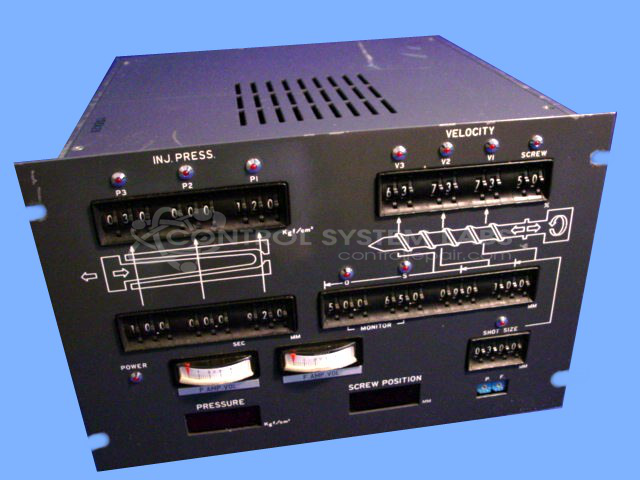
Product Overview: An analog program controller and operator interface used to set and monitor injection molding machine parameters such as screw position, pressure, and shot size. It features thumbwheel switches for position settings, analog voltmeters, LED indicators, internal 24VDC relays, and dual analog displays for pressure and screw position.
Category: Operator Interface
Manufacturer: Yuken
Manufacturer Part Number: SK-1046-100-1202B
Common Failures
Reported issues have included dim or flickering pressure displays, broken or unreadable meters, defective or missing relays, and malfunctioning thumbwheel switches. In some cases, internal components such as transformers and capacitors have shown signs of failure during evaluation.
Repair Approach
The repair process may involve replacing defective components such as capacitors and transformers, installing missing relays, and repairing damaged wiring. Components like thumbwheel switches and relay sockets are often cleaned, reassembled, or replaced as needed. Thorough inspections are conducted to evaluate electronic connections and component condition.
Testing & Quality
After repairs are completed, testing is performed to verify the operation of controls, displays, relays, and power supplies. The unit is run to confirm stability before being cleared for return, with the goal of ensuring proper operation.
Service and repair your broken Yuken part
We can repair your Yuken model SK-1046-100-1202B in our facility. Let our skilled technicians get your Yuken back in operation quickly.
Step 1 - Click the green 'Repair Now' button above to add the part and then complete the RMA.
Step 2 - The RMA form will be sent to you via email. Print the RMA form and put it in a box with the item(s) for repair.
Step 3 - Ship or mail the box to the address listed on the RMA.
Once the user has seen at least one product this snippet will be visible.