



Repair
Repair Price: $ 656.00
Purchase
CSL Part Number: 23242
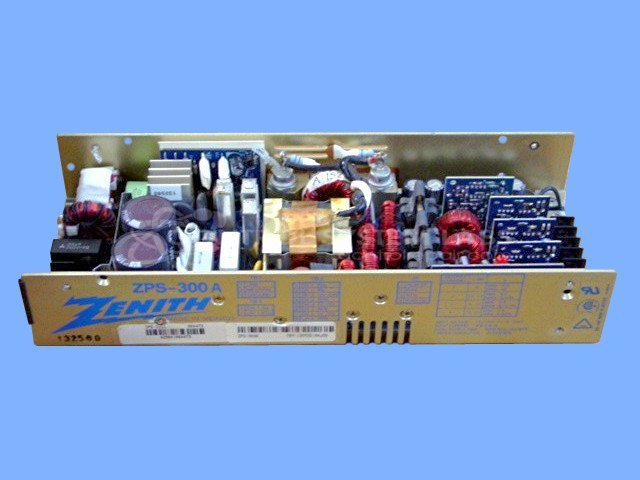
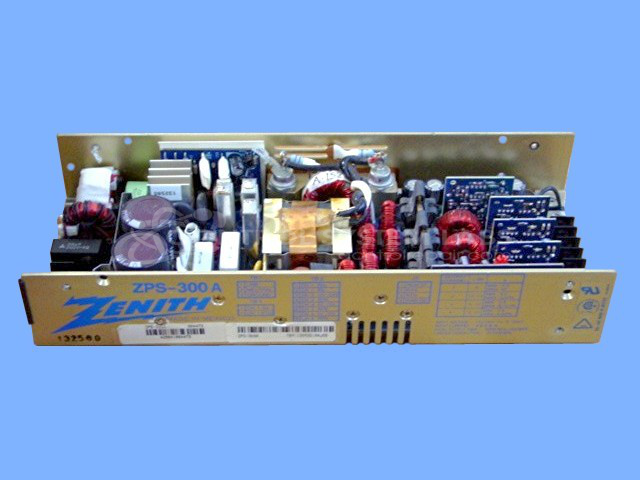
Product Overview: The Zenith ZPS-300A is a quad output DC power supply rated at 300 watts. It provides four independent DC voltage outputs for powering multiple circuit boards or subsystems within industrial equipment. This compact switching power supply is commonly used in legacy process control systems, automation machinery, and paper industry equipment where multiple voltage rails are required. The unit features built-in short circuit and overload protection. Also marketed under the Condor and Todd Power brand names.
Category: Power Supply
Manufacturer: Zenith
Alternate Manufacturer Names: CONDOR/TODD POWER
Manufacturer Part Number: ZPS-300A
Other Synonyms: CONDOR/TODD POWER
Power supplies are tested with a minimum 4-hour burn-in, under load.
Common Failures
This product may experience damage to the power board, including burn damage that can affect performance and lead to power failures.
Repair Approach
When burn damage is present, repair options depend on the extent of the damage. We evaluate both visible and internal areas to determine if repair is feasible. If damage is extensive, the unit may be classified as Beyond Economic Repair (BER).
Testing & Quality
Testing involves applying power to verify functionality and output voltage. During evaluation, we check for hidden damage that may not be visible during initial inspection. If severe damage is detected during testing, we will provide updated findings and discuss available options.
Service and repair your broken Zenith part
We can repair your Zenith model ZPS-300A in our facility. Let our skilled technicians get your Zenith back in operation quickly.
Step 1 - Click the green 'Repair Now' button above to add the part and then complete the RMA.
Step 2 - The RMA form will be sent to you via email. Print the RMA form and put it in a box with the item(s) for repair.
Step 3 - Ship or mail the box to the address listed on the RMA.
Once the user has seen at least one product this snippet will be visible.