



Repair
Call for price
Purchase
CSL Part Number: 111709
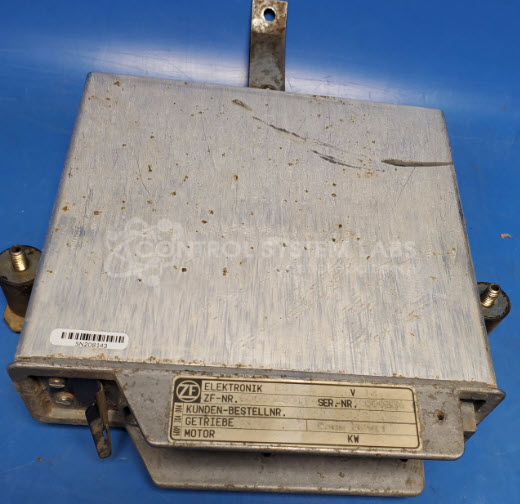
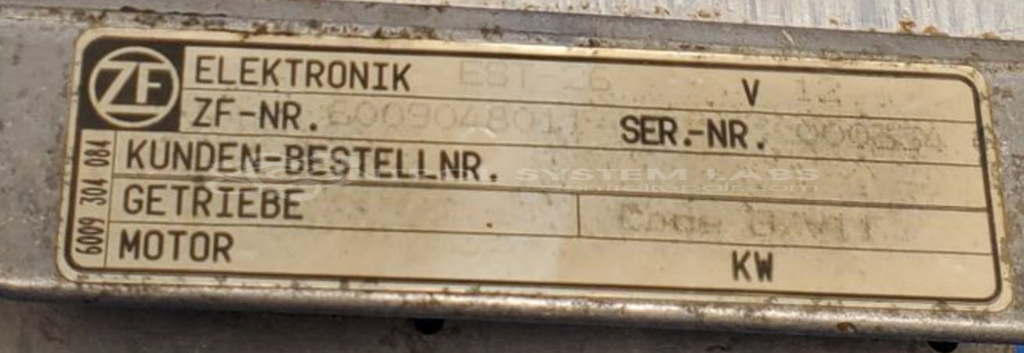
Product Overview: The ZF Electronics EST-26 (part number 6009048011) is a transmission controller designed for heavy equipment applications, specifically used in early 1990s John Deere 624G wheel loaders. This module manages automatic transmission functions including shift timing, hydraulic valve actuation, and torque converter lockup. It processes input signals from sensors monitoring engine speed, vehicle speed, and hydraulic pressure to control transmission operation and optimize performance across varying load conditions.
Category: Control Module
Manufacturer: ZF Electronics
Manufacturer Part Number: 6009048011
Also Known As(AKA): EST-26
Early 1990's John Deere 624G transmission control
Common Failures
This transmission controller may experience issues where an input signal is detected but no corresponding output is produced. In some cases, the unit may remain in a reset state.
Repair Approach
Our evaluation process includes diagnostic testing, software analysis, and input/output verification. Depending on findings, repair may involve component replacement, programming updates, or circuit-level troubleshooting. In some cases, further in-depth evaluation is required to determine the root cause and feasibility of repair.
Testing & Quality
Units undergo diagnostic testing and output verification as part of our standard evaluation process. If a unit does not pass final testing or if the fault cannot be economically resolved, the unit may be returned as Beyond Economic Repair (BER) or No Fault Detected (NFD), depending on findings. We provide a detailed evaluation summary with all returned units.
Limited Repair
The ZF Electronics part number is only available as a limited repair at our facility. Repairs to this item may be limited due to several reasons:
- Availability of parts
- Less than 100% test ability due to required support equipment
To have us attempt a repair on your ZF Electronics part follow these steps:
Step 1 -
Click the Repair Now button above to add the part and complete the RMA form.
Step 2 -
Print the RMA form that is sent to your email, and put it in the box with the parts for repair.
Step 3 -
Mail the box to the address on the RMA.
After we receive your item, we will perform an inspection and an authorization to repair will be sent for your approval. Work will begin after your authorization is received.
Once the user has seen at least one product this snippet will be visible.