


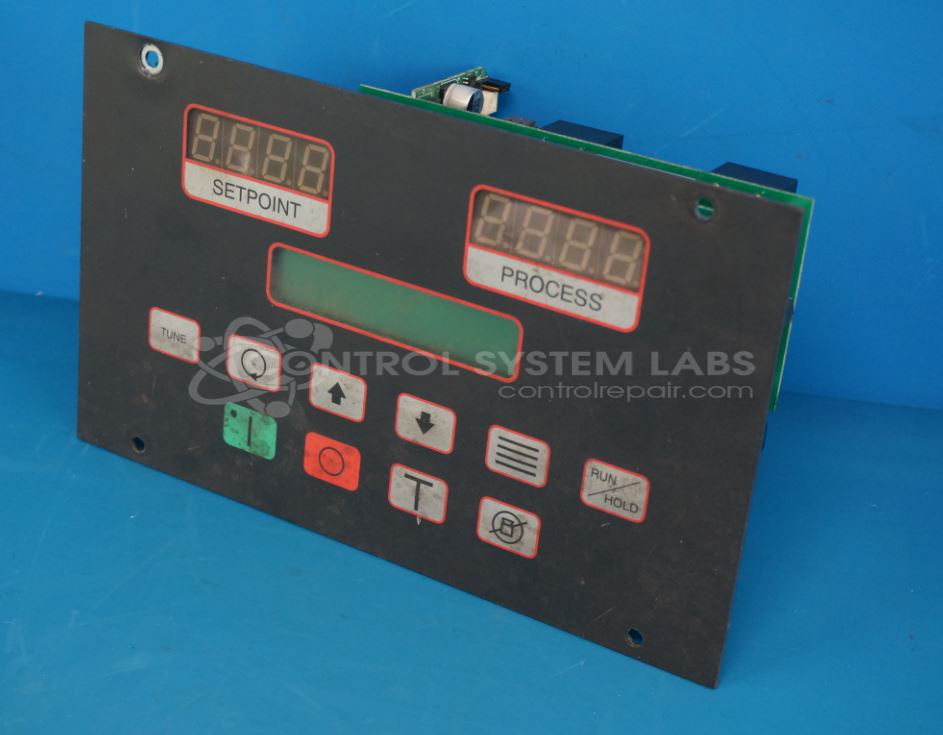
ACS New Berlin 601.00522.02/I with 785A353U/D with 601.00537.00 Temperature Control System with 2 Option Boards


Repair
Repair Price: $ 612.00
Purchase
CSL Part Number: 80852
Product Overview: A microprocessor-based temperature control panel that regulates process temperature over a range of -30 to 650°F using RTD input. Equipped with two option boards and a keypad interface, it commonly controls chillers, temperature control units, and related process heating and cooling equipment.
Category: Chiller Controls
Manufacturer: ACS New Berlin
Alternate Manufacturer Names: STERLCO
Manufacturer Part Number: 601.00522.02/I with 785A353U/D with 601.00537.00
Series: M2B Temperature Controller
Also Known As(AKA): M2B
Other Synonyms: STERLCO
Keypad replacement if required is additional and will be quoted after evaluation
Common Failures
Our repair records indicate two main issues with this product. The first issue involves power supply functionality, often traced to capacitor failure. The second common issue is a failure to start, even when both the keypad and option board are operational, which may be related to the micro board.
Repair Approach
For issues related to the power supply, the repair may involve the replacement of failed capacitors. In cases of startup failure, the micro board may require replacement, with integration of the original customer program chip when applicable. Once the unit is received and reviewed, we can provide a quotation before any repair work begins.
Testing & Quality
Post-repair, testing is conducted to verify that the product functions properly. This includes calibration using specialized equipment and a burn-in period to assess consistent operation over time. These measures help ensure that repaired units meet our quality standards before being returned to customers.
Service and repair your broken ACS New Berlin part
We can repair your ACS New Berlin model 601.00522.02/I with 785A353U/D with 601.00537.00 in our facility. Let our skilled technicians get your ACS New Berlin back in operation quickly.
Step 1 - Click the green 'Repair Now' button above to add the part and then complete the RMA.
Step 2 - The RMA form will be sent to you via email. Print the RMA form and put it in a box with the item(s) for repair.
Step 3 - Ship or mail the box to the address listed on the RMA.
Once the user has seen at least one product this snippet will be visible.