


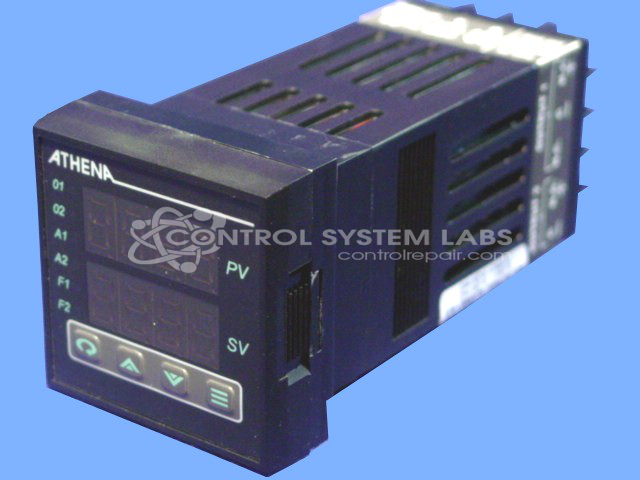
Athena 16CRBT40FK Conair 16C 1/16 DIN Temperature Control
Repair
Repair Price: $ 404.00
Purchase
CSL Part Number: 29458
Product Overview: A 1/16 DIN digital temperature controller used in plastics processing and industrial heating equipment. It accepts thermocouple input, such as type J, for precise temperature regulation and supports relay output control. Configurable parameters include proportional band, cycle time, and setpoints, with Fahrenheit or Celsius display.
Category: Temperature Control
Manufacturer: Athena
Manufacturer Part Number: 16CRBT40FK
Series: Series 16C Temperature Controller
Also Known As(AKA): CONAIR PROGRAMMING
Common Failures
This unit type can experience damage to the front fascia, which may lead to control issues and temperature reading concerns. In one evaluation, temperature discrepancies were observed where 100 degrees F read as 87 degrees, and 1000 degrees displayed as 9110 degrees F.
Repair Approach
Repairs typically include cleaning the unit, replacing the front bezel and overlay components as needed, and replacing capacitors that support proper operation. Adjustments are made to restore correct parameter settings and calibration of temperature readings.
Testing & Quality
Following repair, the unit is calibrated to support accurate temperature readings. Testing includes an extended burn-in period to evaluate reliability and stability. The unit is configured and calibrated for the specified thermocouple type to support proper performance per customer application requirements.
Service and repair your broken Athena part
We can repair your Athena model 16CRBT40FK in our facility. Let our skilled technicians get your Athena back in operation quickly.
Step 1 - Click the green 'Repair Now' button above to add the part and then complete the RMA.
Step 2 - The RMA form will be sent to you via email. Print the RMA form and put it in a box with the item(s) for repair.
Step 3 - Ship or mail the box to the address listed on the RMA.
Once the user has seen at least one product this snippet will be visible.