




Repair
Repair Price: $ 420.00
Purchase
CSL Part Number: 603
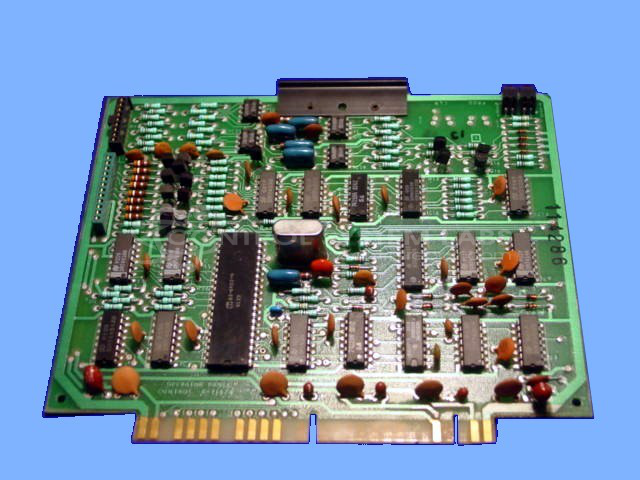
Product Overview: An operator panel control card for an industrial process control system, managing keypad data entry, display, and magnetic card reader read/write functions for machine programming and setup. Commonly used in plastics and paper manufacturing equipment to configure and monitor process parameters.
Category: Barber Colman MACO Controls
Manufacturer: Barber-Colman
Manufacturer Synonyms: Barber Coleman, Barbercolman, Invensys
Manufacturer Part Number: A-11474
Series: MACO IV
Brand: Barber-Colman
Common Failures
Common issues observed during evaluation have included non-activation of the recorder on startup, lack of keyboard response, system control problems following static shock, and shorted DC supply components.
Repair Approach
Repair strategies have included cleaning edge connectors, replacing capacitors and integrated circuits, and addressing components affected by static shock. Edge connectors are cleaned as needed, and key operation and card reader functionality are verified following repair work.
Testing & Quality
Following repair, units are tested to verify the reliability of functions such as read/write operations and keyboard response. Testing duration varies based on the specific repair performed and the nature of the original failure.
Service and repair your broken Barber-Colman part
We can repair your Barber-Colman model A-11474 in our facility. Let our skilled technicians get your Barber-Colman back in operation quickly.
Step 1 - Click the green 'Repair Now' button above to add the part and then complete the RMA.
Step 2 - The RMA form will be sent to you via email. Print the RMA form and put it in a box with the item(s) for repair.
Step 3 - Ship or mail the box to the address listed on the RMA.
Once the user has seen at least one product this snippet will be visible.