




Repair
Repair Price: $ 468.00
Purchase
CSL Part Number: 4807
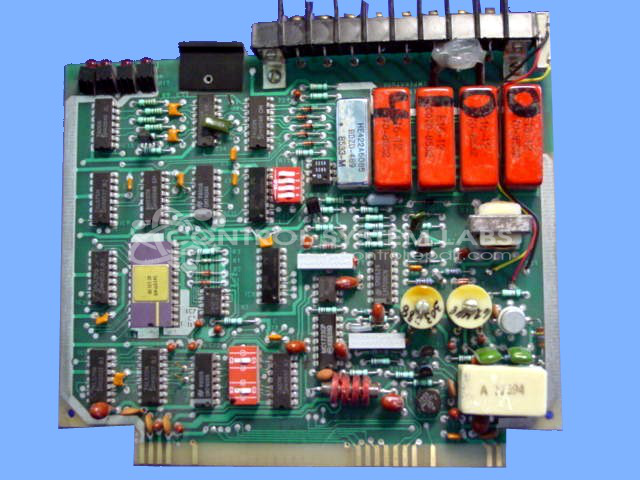
Product Overview: A temperature control input circuit board used in process control systems for paper manufacturing and industrial heating applications. It processes temperature sensor inputs across multiple zones, supporting addressable configuration via a 4-position DIP switch for multi-board setups, and provides stabilized temperature regulation to maintain zone setpoints.
Category: Barber Colman MACO Controls
Manufacturer: Barber-Colman
Manufacturer Synonyms: Barber Coleman, Barbercolman, Invensys
Manufacturer Part Number: A-11844-3
Series: MACO IV
Brand: Barber-Colman
Common Failures
Common issues for this product include broken solder joints and failure of the address selection switch. Customers have reported symptoms such as random fluctuations in display and instability of zones.
Repair Approach
Repairs may involve re-soldering joints and replacing capacitors and switches. Cleaning of components like edge connectors is also routinely performed. For display fluctuations and zone instability, the replacement of faulty switches has been a common solution.
Testing & Quality
Post-repair, units are run for several days to ensure stability and proper operation. A variety of tests, including calibration and heat simulations, are conducted to verify repair quality.
Service and repair your broken Barber-Colman part
We can repair your Barber-Colman model A-11844-3 in our facility. Let our skilled technicians get your Barber-Colman back in operation quickly.
Step 1 - Click the green 'Repair Now' button above to add the part and then complete the RMA.
Step 2 - The RMA form will be sent to you via email. Print the RMA form and put it in a box with the item(s) for repair.
Step 3 - Ship or mail the box to the address listed on the RMA.
Once the user has seen at least one product this snippet will be visible.