



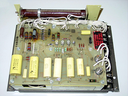
Repair
Repair Price: $ 1,014.00
Purchase
CSL Part Number: 61042
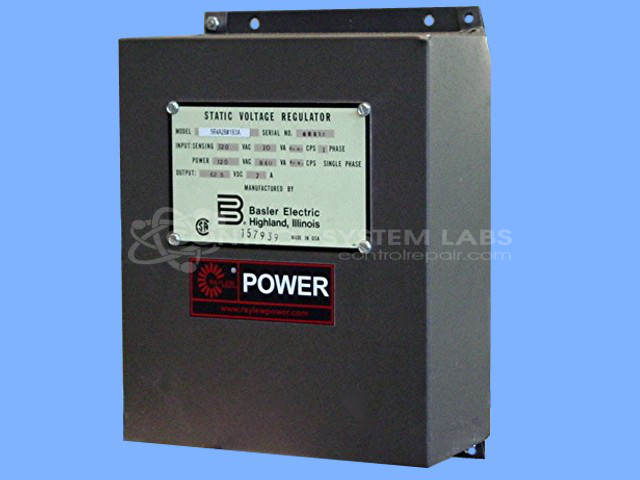
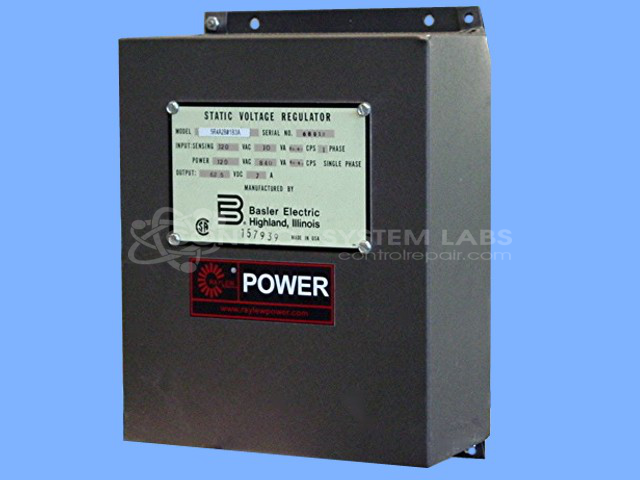
Product Overview: The Basler Electric SR4A2B01B3A is an automatic voltage regulator from the SR4A/8A series designed to maintain stable generator output voltage. It monitors generator voltage and adjusts exciter field current to compensate for load changes, ensuring consistent power delivery. Commonly used in industrial power generation systems, marine applications, and standby generator sets, it protects connected equipment from voltage fluctuations. This solid-state regulator features adjustable voltage settings and built-in protection circuits.
Category: Control Assembly
Manufacturer: Basler Electric
Manufacturer Part Number: SR4A2B01B3A
Series: SR4A/8A Voltage Regulator
Common Failures
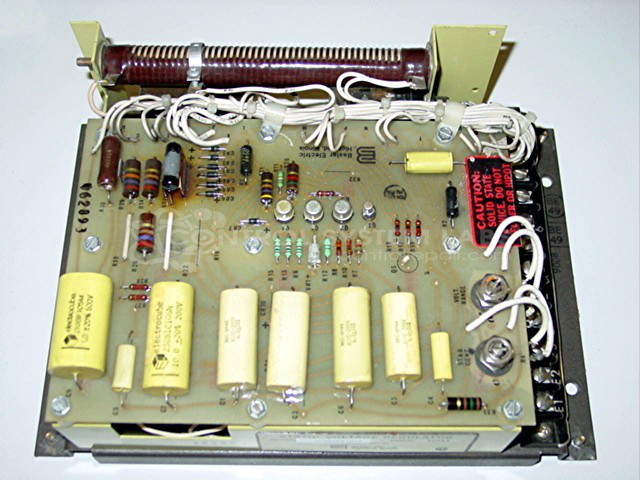
This product may experience failure due to component wear, including relays and resistors that have drifted out of tolerance. These issues can result in the unit having no output during operation.
Repair Approach
The repair process involves diagnostic testing to identify faulty components. Once identified, defective components are replaced as needed. This includes diagnostic evaluations using specialized equipment.
Testing & Quality
After repairs, the product undergoes testing to verify functionality. This includes burn-in testing with a load to confirm proper operation. All units are reviewed by qualified personnel and must pass testing before return to the customer.
Service and repair your broken Basler Electric part
We can repair your Basler Electric model SR4A2B01B3A in our facility. Let our skilled technicians get your Basler Electric back in operation quickly.
Step 1 - Click the green 'Repair Now' button above to add the part and then complete the RMA.
Step 2 - The RMA form will be sent to you via email. Print the RMA form and put it in a box with the item(s) for repair.
Step 3 - Ship or mail the box to the address listed on the RMA.
Once the user has seen at least one product this snippet will be visible.