



Repair
Repair Price: $ 796.00
Purchase
CSL Part Number: 113706
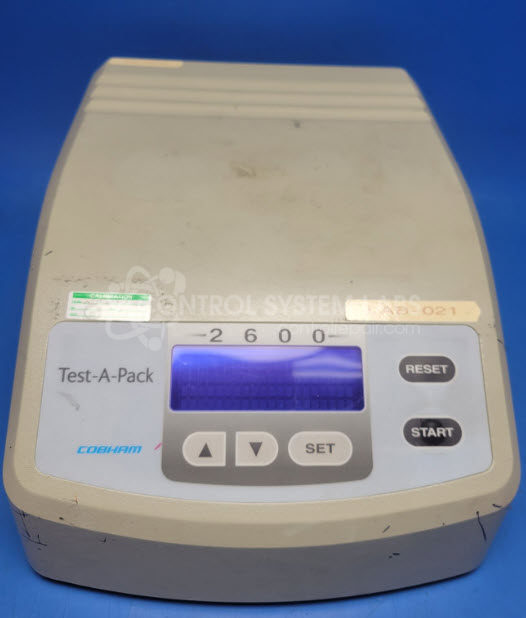
Product Overview: The Cobham 2600 Test-A-Pack Burst Tester is a specialized test instrument used to evaluate burst pressure and package integrity in manufacturing and quality control applications. It measures the pressure at which flexible packaging, bottles, or containers fail under pneumatic stress. The unit features a real-time clock for test timestamping, keypad interface for parameter entry, and display for viewing test results and system status. Commonly used in pharmaceutical, food and beverage, and medical device industries to verify seal strength and package durability before products reach market.
Category: Test Equipment
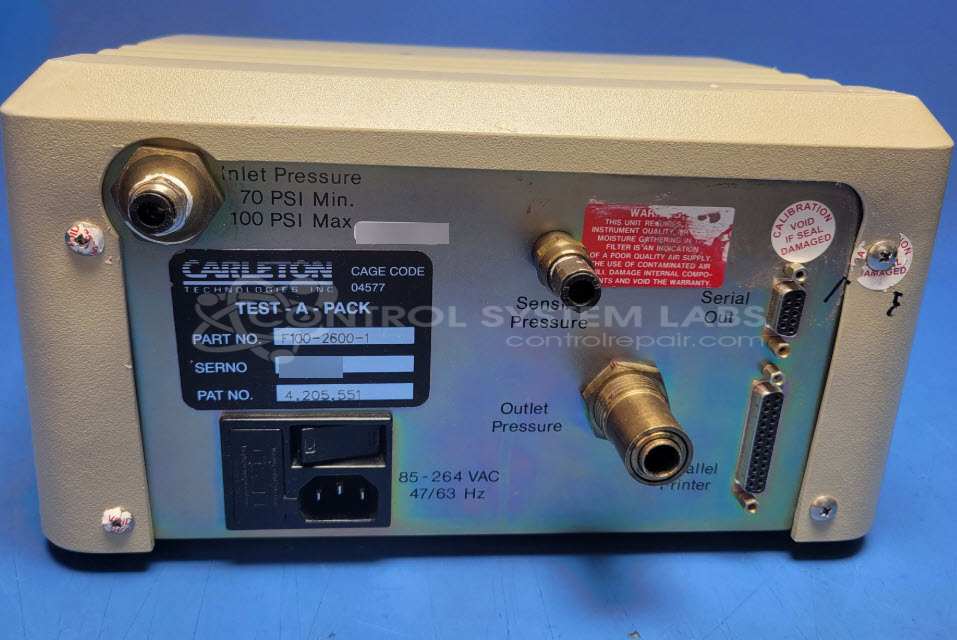
Manufacturer: Carleton Technologies
Alternate Manufacturer Names: Cobham
Manufacturer Part Number: F100-2600-1
Brand: Test-A-Pack
Other Synonyms: Cobham
Calibration is not included in the standard repair quote. Inquire or advise if that is required before sending in.
Common Failures
Common issues reported include display anomalies such as incorrect or garbled characters. These symptoms may be related to internal clock or memory components.
Repair Approach
Repair may involve component-level diagnostics and replacement of faulty parts. Time and date settings may require reprogramming following repair. In some cases, the unit may be restored to factory default settings.
Testing & Quality
Post-repair testing includes verification of power-on sequence, display functionality, keypad operation, and power supply performance. Units undergo a burn-in test to verify stability and reliability.
Service and repair your broken Carleton Technologies part
We can repair your Carleton Technologies model F100-2600-1 in our facility. Let our skilled technicians get your Carleton Technologies back in operation quickly.
Step 1 - Click the green 'Repair Now' button above to add the part and then complete the RMA.
Step 2 - The RMA form will be sent to you via email. Print the RMA form and put it in a box with the item(s) for repair.
Step 3 - Ship or mail the box to the address listed on the RMA.
Once the user has seen at least one product this snippet will be visible.