


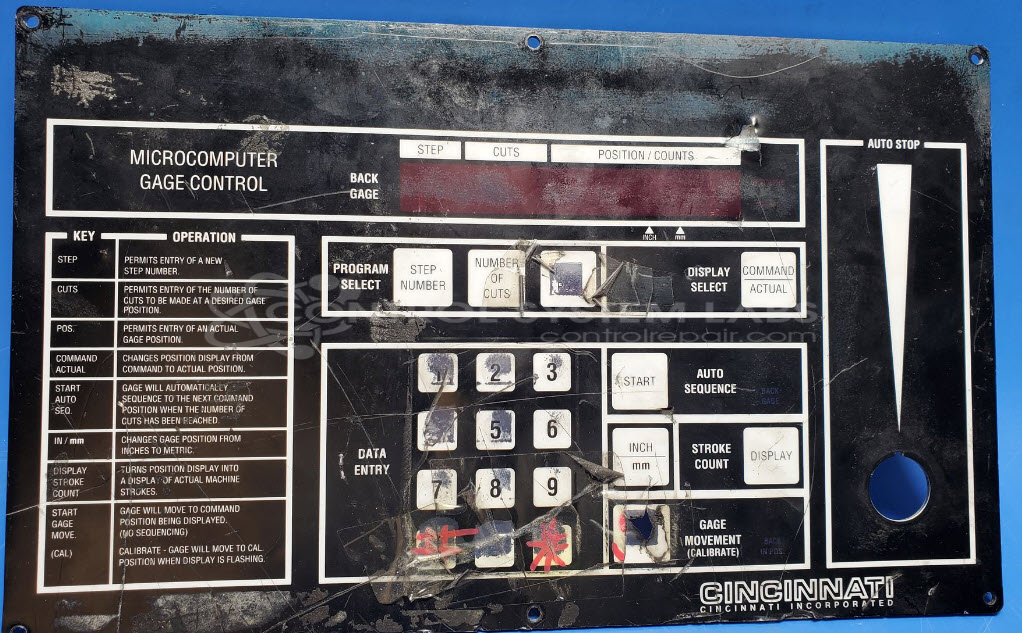
Cincinnati Inc. 823264 Microcomputer Gage Control Front panel
Repair
Repair Price: $ 994.00
Purchase
CSL Part Number: 105719
Product Overview: The Microcomputer Gage Control Front Panel is an operator interface panel used on Cincinnati Inc. power squaring shears, including the 2CC12 model. It features a membrane keypad overlay with tactile switches for operator input, seven-segment displays for readout, and an onboard power supply regulating 12VDC input to 5VDC for internal circuitry. The panel provides manual control and position monitoring functions for material gauging and cutting operations on Cincinnati shearing equipment.
Category: Operator & Control Panels
Manufacturer: Cincinnati Inc.
Manufacturer Part Number: 823264
Series: Microcomputer Gage Control
Replacement front overlays are available for this unit, there is an additional cost, is not included in the standard repair price.
Common Failures
Common issues reported with this device include front panel buttons that are intermittent or unresponsive. Symptoms may include buttons that do not register input or that register multiple inputs from a single press. In some cases, the overlay may show physical damage.
Repair Approach
Repairs typically involve replacing defective components such as pushbutton switches and electrolytic capacitors. When the overlay shows damage, it may also be replaced. Diagnostic testing is conducted to identify specific component failures before repair work begins.
Testing & Quality
After repairs are completed, the device is tested to verify functionality. Testing includes checking output voltages, verifying button operations, and confirming display functionality. Units are subject to burn-in testing and pass applicable testing protocols before being prepared for return shipment.
Service and repair your broken Cincinnati Inc. part
We can repair your Cincinnati Inc. model 823264 in our facility. Let our skilled technicians get your Cincinnati Inc. back in operation quickly.
Step 1 - Click the green 'Repair Now' button above to add the part and then complete the RMA.
Step 2 - The RMA form will be sent to you via email. Print the RMA form and put it in a box with the item(s) for repair.
Step 3 - Ship or mail the box to the address listed on the RMA.
Once the user has seen at least one product this snippet will be visible.