


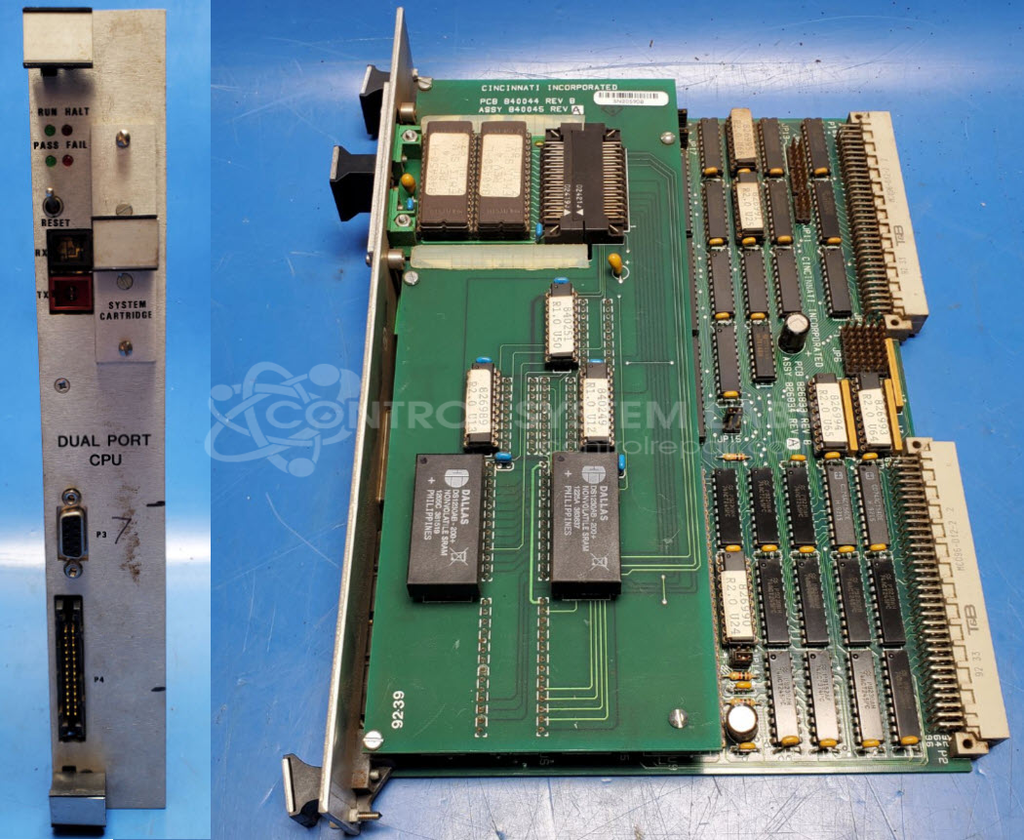
Cincinnati Inc. 826834 REV A/840045 REV A Dual Port CPU Board
Repair
Call for price
Purchase
CSL Part Number: 106902
Product Overview: The Dual Port CPU Board (part numbers 826834 REV A/840045 REV A) is the main processor board for Cincinnati Inc. Form Master II press brake controls. It manages machine control logic, self-diagnostics, and communication between the operator interface and I/O modules. The board features non-volatile SRAM for program and parameter storage, optical communication ports for HMI connectivity, and interfaces to external I/O cards for controlling press brake operations including axis positioning and safety functions.
Category: CPU Board
Manufacturer: Cincinnati Inc.
Manufacturer Part Number: 826834 REV A/840045 REV A
Series: Form Master II
Also Known As(AKA): 826834
Please send in with Card Cage and wiring diagrams
Common Failures
Common issues reported include CPU startup problems with LEDs flashing incorrectly, no communication between the HMI and CPU, and error LEDs lighting up immediately indicating connection issues. Some units have experienced non-volatile SRAM errors and board connection problems.
Repair Approach
The repair process may involve resetting non-volatile memory, correcting board connections, and addressing power supply issues. Technicians also verify proper settings on I/O boards and utilize test fixtures during the repair process.
Testing & Quality
Repaired units undergo testing, including communication tests and self-tests, to verify repair work. Devices are subjected to burn-in testing to evaluate continued functionality.
Service and repair your broken Cincinnati Inc. part
We can repair your Cincinnati Inc. model 826834 REV A/840045 REV A in our facility. Let our skilled technicians get your Cincinnati Inc. back in operation quickly.
Step 1 - Click the green 'Repair Now' button above to add the part and then complete the RMA.
Step 2 - The RMA form will be sent to you via email. Print the RMA form and put it in a box with the item(s) for repair.
Step 3 - Ship or mail the box to the address listed on the RMA.
Once the user has seen at least one product this snippet will be visible.