



Repair
Repair Price: $ 324.00
Purchase
CSL Part Number: 12340
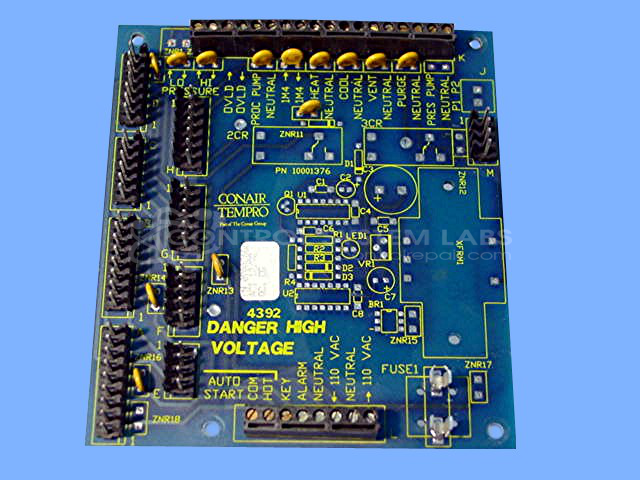
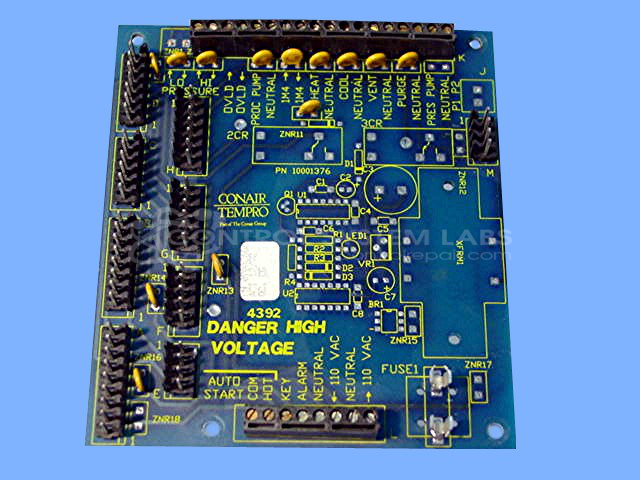
Product Overview: The MicroTrac Connector Board is an interface PCB manufactured by Conair (also known as Tempro) used in microTrac 1, 2, and 3 series systems. It serves as an interconnection point between control modules and field wiring in paper processing equipment. The board features multiple connector blocks (2-pin, 3-pin, and 8-pin configurations), 130VAC varistors for surge protection, and a protective fuse. Common in paper manufacturing and converting applications where the microTrac system controls temperature or process parameters.
Category: Control Board
Manufacturer: Conair
Manufacturer Synonyms: IPEG, Franklin
Alternate Manufacturer Names: TEMPRO
Manufacturer Part Number: 09002686
Series: microTrac 1, 2, and 3
Also Known As(AKA): 10001376
Other Synonyms: TEMPRO
Common Failures
Frequent issues include burn damage with broken traces and shorts on circuit boards. Corrosion on circuit boards and connectors has also been observed, sometimes requiring replacement of connectors. Some units have been found to have defective metal oxide varistors (MOVs) that required replacement.
Repair Approach
Repairs typically involve cleaning corrosion and reinstalling or replacing damaged connector blocks. Burn damage repairs consist of repairing broken traces and removing shorts. Defective components such as MOVs are identified and replaced during the evaluation process.
Testing & Quality
Component testing is conducted using tools such as curve tracers and multimeters to verify the continuity of traces and the functionality of varistors. Final inspections ensure that repairs meet quality standards, with varistor performance confirmed and other components such as fuses tested for proper function. Items are reviewed by qualified personnel to ensure testing accuracy.
Service and repair your broken Conair part
We can repair your Conair model 09002686 in our facility. Let our skilled technicians get your Conair back in operation quickly.
Step 1 - Click the green 'Repair Now' button above to add the part and then complete the RMA.
Step 2 - The RMA form will be sent to you via email. Print the RMA form and put it in a box with the item(s) for repair.
Step 3 - Ship or mail the box to the address listed on the RMA.
Once the user has seen at least one product this snippet will be visible.