



Repair
Repair Price: $ 524.00
Purchase
CSL Part Number: 65724
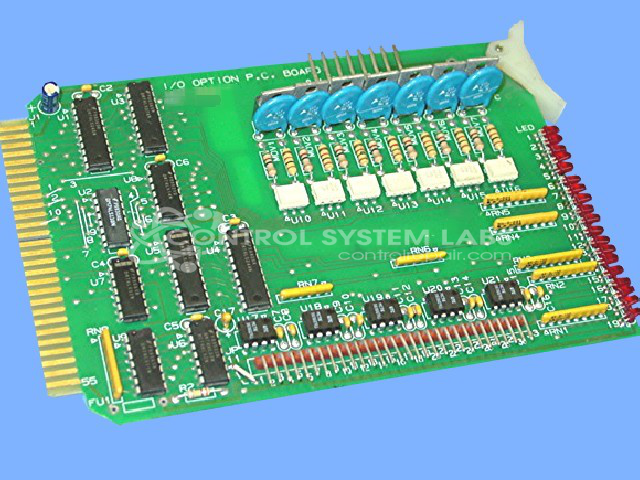
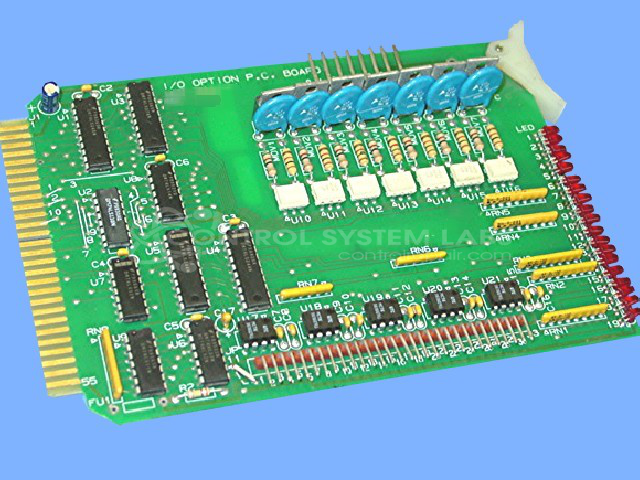
Product Overview: The Conair Drier I/O Option Card (107-214-01) is an expansion module for Conair Compu-Dry CD series dryers, including models CD60, CD100, CD200, CD400, CD1600, and CD2400. It plugs into the dryer's backplane and provides configurable input/output functionality, supporting two or three different option configurations depending on application requirements. The card uses standard 74LS series logic ICs to interface control signals between the dryer controller and external equipment or sensors in plastic material drying systems.
Category: I/O Card & Modules
Manufacturer: Conair
Manufacturer Synonyms: IPEG, Franklin
Manufacturer Part Number: 107-214-01
Series: Compu-Dry CD Dryer
Also Known As(AKA): 10721401
Used on the campu dry CD60 CD 100 CD CD200 400 CD1600
Common Failures
One of the prevalent issues identified with this product is non-operational behavior. Diagnostic evaluation may reveal discrepancies in logic outputs when compared across different boards.
Repair Approach
Our repair process includes diagnostic testing and component-level evaluation. When necessary, integrated circuits and other components may be replaced based on test results and technical analysis. Repairs are performed using available technical documentation and CSL diagnostic procedures.
Testing & Quality
Following repair, units undergo functional testing to verify operation. Repaired units are tested using CSL procedures and equipment appropriate to the product type. Successfully repaired units pass our quality verification process before being returned to service.
Service and repair your broken Conair part
We can repair your Conair model 107-214-01 in our facility. Let our skilled technicians get your Conair back in operation quickly.
Step 1 - Click the green 'Repair Now' button above to add the part and then complete the RMA.
Step 2 - The RMA form will be sent to you via email. Print the RMA form and put it in a box with the item(s) for repair.
Step 3 - Ship or mail the box to the address listed on the RMA.
Once the user has seen at least one product this snippet will be visible.