




Repair
Repair Price: $ 644.00
Purchase
CSL Part Number: 118587
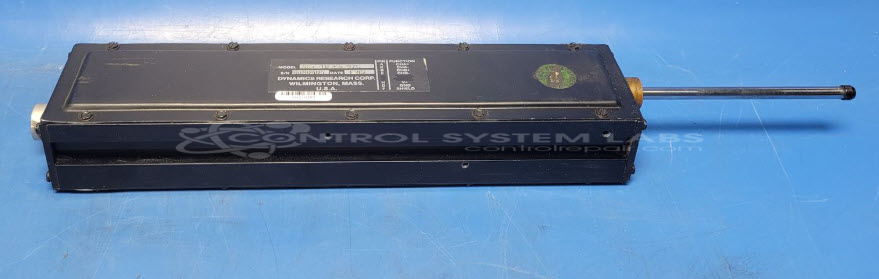
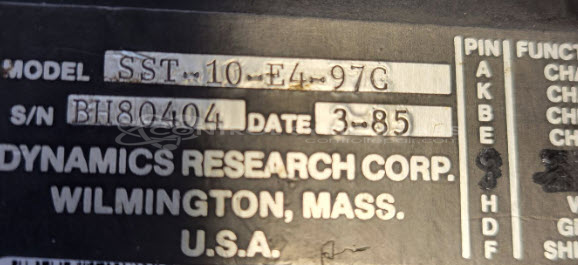
Product Overview: The Dynamics Research SST-10-E4-97C is a linear encoder that converts linear position into digital pulse signals. It features quadrature outputs with 50% duty cycle pulses that are 90 degrees out of phase, enabling precise position tracking and directional sensing. This glass scale encoder is commonly used in machine tools, CNC equipment, and positioning systems where accurate linear measurement is required. The device typically interfaces with digital readouts (DROs) or motor drives for closed-loop position control applications.
Category: Encoders / Tachometers / Resolvers
Manufacturer: Dynamics Research
Manufacturer Part Number: SST-10-E4-97C
Common Failures
Dynamics Research Encoders are typically reliable. Drift-related issues have been observed in some units, and when present, have been linked to dirt or corrosion on the encoder glass affecting performance.
Repair Approach
To address drift-related issues, the encoder glass is cleaned and performance is verified by ensuring the output pulses maintain a 50% duty cycle and 90 degrees phase difference. Inspection of the circuit board and related components is conducted to identify any additional defects.
Testing & Quality
Testing is performed to verify that the repaired encoder meets required standards. This includes burn-in testing and scoped output verification to confirm stability and accuracy. The testing process verifies that the encoder's output remains consistent over time.
Service and repair your broken Dynamics Research part
We can repair your Dynamics Research model SST-10-E4-97C in our facility. Let our skilled technicians get your Dynamics Research back in operation quickly.
Step 1 - Click the green 'Repair Now' button above to add the part and then complete the RMA.
Step 2 - The RMA form will be sent to you via email. Print the RMA form and put it in a box with the item(s) for repair.
Step 3 - Ship or mail the box to the address listed on the RMA.
Once the user has seen at least one product this snippet will be visible.