




Repair
Repair Price: $ 692.00
Purchase
CSL Part Number: 47437
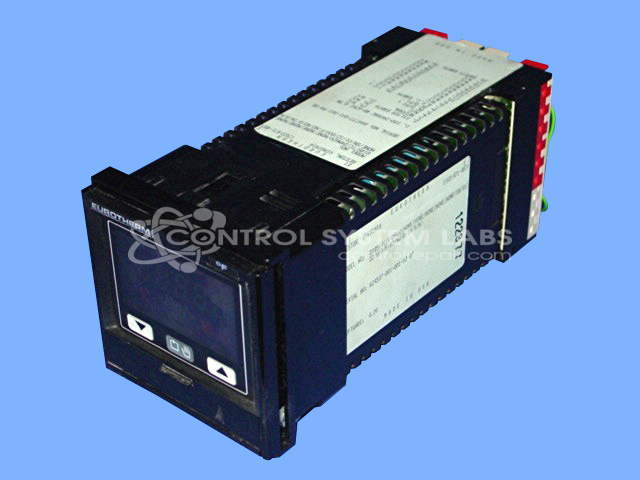
Product Overview: A microprocessor-based digital temperature and process controller/programmer with thermocouple input and 4-20mA output. It regulates setpoints and ramp/soak profiles in industrial heating and process applications. Features an alphanumeric display, membrane keypad interface, RS-485 communications, and an onboard power supply board.
Category: Temperature Control
Manufacturer: Eurotherm
Manufacturer Part Number: 818S/TC/RTRIF/NONE/DLD/NON
Series: 818 Series Temperature/Process Control
Common Failures
Common issues reported for this product include lack of display or delayed startup, non-functional communication cards, and weakly lit display devices. These problems are often due to faulty filter capacitors and display components.
Repair Approach
Repairs typically involve replacing faulty capacitors and malfunctioning display devices. Other steps may include cleaning, recalibrating, and performing a thorough check of DC power supply to ensure proper functionality. In some cases, components such as EPROMs on the micro board are also replaced.
Testing & Quality
After completing the necessary repairs, each unit undergoes a rigorous burn-in process to ensure quality and reliability. The burn-in process lasts up to 72 hours under controlled temperature conditions to validate the repairs before returning the unit to the customer.
Service and repair your broken Eurotherm part
We can repair your Eurotherm model 818S/TC/RTRIF/NONE/DLD/NON in our facility. Let our skilled technicians get your Eurotherm back in operation quickly.
Step 1 - Click the green 'Repair Now' button above to add the part and then complete the RMA.
Step 2 - The RMA form will be sent to you via email. Print the RMA form and put it in a box with the item(s) for repair.
Step 3 - Ship or mail the box to the address listed on the RMA.
Once the user has seen at least one product this snippet will be visible.