



Repair
Repair Price: $ 2,980.00
Purchase
CSL Part Number: 102059
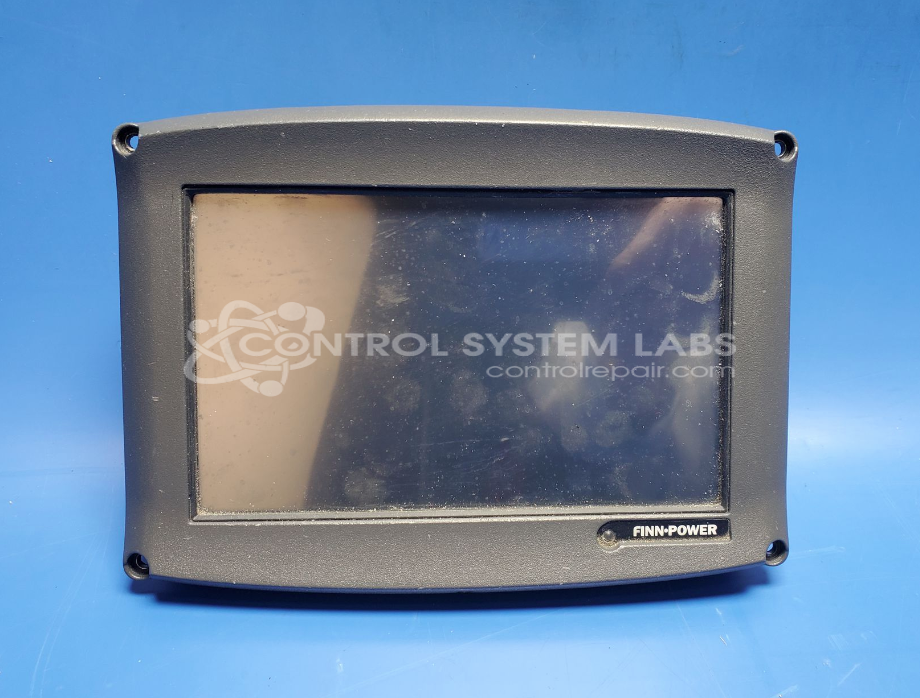
Product Overview: The ICC (Intelligent Crimping Control) is a touchscreen-based operator control panel designed for Finn-Power crimping and swaging machines. It provides machine operation control, process monitoring, and parameter adjustment for hydraulic crimping applications in wire harness manufacturing and cable assembly operations. The controller interfaces with the machine's hydraulic and electrical systems, allowing operators to select crimp programs, monitor cycle status, and adjust force parameters. It operates on 24VDC power and features a graphical touchscreen interface for intuitive machine control and diagnostics.
Category: Operator & Control Panels
Manufacturer: Finn-Power
Manufacturer Synonyms: FinnPower, Finn Power, Lillbacka
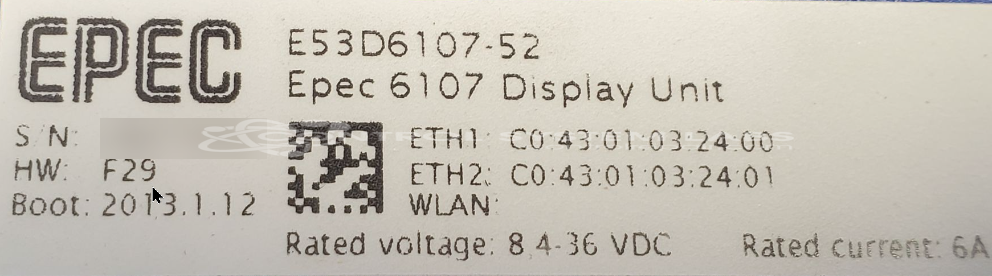
Manufacturer Part Number: E53D6107-52
Series: Swaging/Crimping Controller
Also Known As(AKA): 691569
Used in Finn Power Crimping Machines
Common Failures
Some units may experience intermittent touchscreen control issues that can affect normal operation.
Repair Approach
We power up the unit and conduct diagnostic testing to evaluate touchscreen function. If no fault is detected during evaluation, we provide feedback to the customer and discuss next steps.
Testing & Quality
Units are subjected to burn-in testing procedures to identify potential issues. When no fault is detected during evaluation, we report those findings to the customer.
Service and repair your broken Finn-Power part
We can repair your Finn-Power model E53D6107-52 in our facility. Let our skilled technicians get your Finn-Power back in operation quickly.
Step 1 - Click the green 'Repair Now' button above to add the part and then complete the RMA.
Step 2 - The RMA form will be sent to you via email. Print the RMA form and put it in a box with the item(s) for repair.
Step 3 - Ship or mail the box to the address listed on the RMA.
Once the user has seen at least one product this snippet will be visible.