




Repair
Repair Price: $ 1,512.00
Purchase
CSL Part Number: 76096
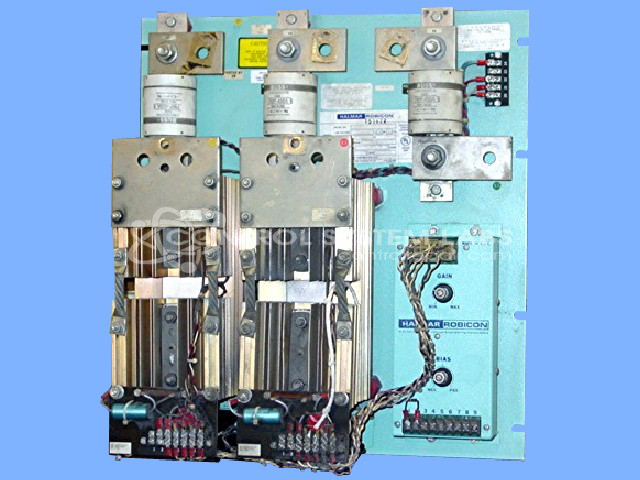
Product Overview: A three-phase SCR power controller rated for 240V at 500A, used to regulate AC power to resistive or inductive heating loads in industrial process equipment. It employs silicon-controlled rectifiers with fan cooling for precise, high-current power control.
Category: Power Controls
Manufacturer: Halmar Robicon
Manufacturer Synonyms: Robicon
Manufacturer Part Number: 2Z24500
Series: 2Z Series 3 Phase Power Control
Missing or bad fuses additional.
Common Failures
A typical issue observed with this product is a failure in the X3 channel, often related to component damage due to defective fans. This can result in operational disruptions and requires timely intervention to prevent further damage.
Repair Approach
The standard repair process involves replacing damaged components such as SCRs, clamp bars, torque clamps, and fans. Key steps include checking capacitors in the controller and verifying the functionality of channels using diagnostic tools. In this case, specific channel components were replaced, and their function was restored.
Testing & Quality
Post-repair, the product undergoes a burn-in test of three hours to ensure reliable performance under normal operating conditions. All replaced components such as fans are verified to be working correctly, ensuring the product meets our quality standards before it is returned to the customer.
Service and repair your broken Halmar Robicon part
We can repair your Halmar Robicon model 2Z24500 in our facility. Let our skilled technicians get your Halmar Robicon back in operation quickly.
Step 1 - Click the green 'Repair Now' button above to add the part and then complete the RMA.
Step 2 - The RMA form will be sent to you via email. Print the RMA form and put it in a box with the item(s) for repair.
Step 3 - Ship or mail the box to the address listed on the RMA.
Once the user has seen at least one product this snippet will be visible.