




Repair
Repair Price: $ 788.00
Purchase
CSL Part Number: 65052
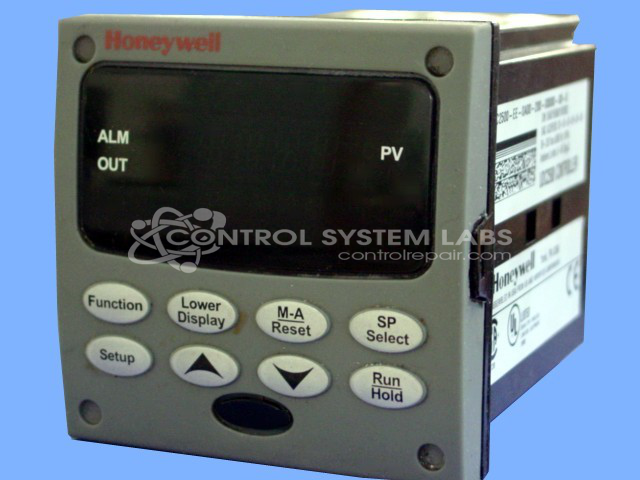
Product Overview: A 1/4 DIN universal digital temperature limit controller that monitors process temperature and triggers a latching relay output to shut down equipment when safe limits are exceeded. It accepts universal inputs including thermocouples and RTDs, and features Ethernet communication, auxiliary output, and digital input. Used in furnaces, ovens, and industrial heating processes.
Category: Temperature Control
Manufacturer: Honeywell
Manufacturer Part Number: DC2500-E0-0L00-200-10000-E0-0
Series: UDC2500 Universal Digital Controller
Common Failures
Units submitted for repair have exhibited issues such as component failures, open inductors, and connection problems. Contamination and transistor failures have also been observed during evaluation.
Repair Approach
Repairs may involve cleaning, replacing components such as transistors, electrolytic capacitors, inductors, and output relays, and addressing solder connections. Calibrations and setting adjustments may be performed as needed to restore the unit to operational specifications.
Testing & Quality
Following repair, units are tested to verify functionality. Testing may include calibration verification, relay functionality tests, and burn-in procedures. Final inspections are performed to confirm that the unit meets operational requirements.
Service and repair your broken Honeywell part
We can repair your Honeywell model DC2500-E0-0L00-200-10000-E0-0 in our facility. Let our skilled technicians get your Honeywell back in operation quickly.
Step 1 - Click the green 'Repair Now' button above to add the part and then complete the RMA.
Step 2 - The RMA form will be sent to you via email. Print the RMA form and put it in a box with the item(s) for repair.
Step 3 - Ship or mail the box to the address listed on the RMA.
Once the user has seen at least one product this snippet will be visible.