




Repair
Repair Price: $ 788.00
Purchase
CSL Part Number: 83888
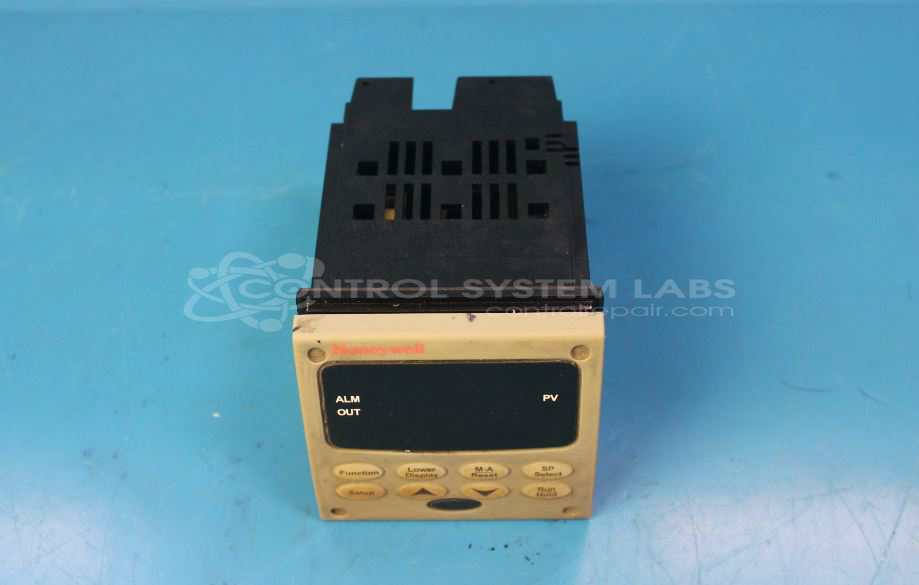
Product Overview: A universal digital temperature controller that regulates process temperature in industrial equipment using sensor inputs such as thermocouples and RTDs. Features relay output, infrared configuration interface, auxiliary output, digital input, and Ethernet communication, supporting monitoring and control in heating and process applications.
Category: Temperature Control
Manufacturer: Honeywell
Manufacturer Part Number: DC2500-EE-000R-200-00000-00-0
Series: UDC2500 Universal Digital Controller
Common Failures
The most common issue reported for this product is the absence of a display upon applying power. In many cases, this has been traced to degraded electrolytic capacitors.
Repair Approach
The typical repair involves replacing the affected electrolytic capacitors and resetting the system to factory default settings. This approach has successfully restored functionality in similar cases.
Testing & Quality
After completing repairs, the product undergoes testing, including control verification and calibration checks for specific inputs. A six-hour burn-in test is performed to verify consistent performance and reliability.
Service and repair your broken Honeywell part
We can repair your Honeywell model DC2500-EE-000R-200-00000-00-0 in our facility. Let our skilled technicians get your Honeywell back in operation quickly.
Step 1 - Click the green 'Repair Now' button above to add the part and then complete the RMA.
Step 2 - The RMA form will be sent to you via email. Print the RMA form and put it in a box with the item(s) for repair.
Step 3 - Ship or mail the box to the address listed on the RMA.
Once the user has seen at least one product this snippet will be visible.