


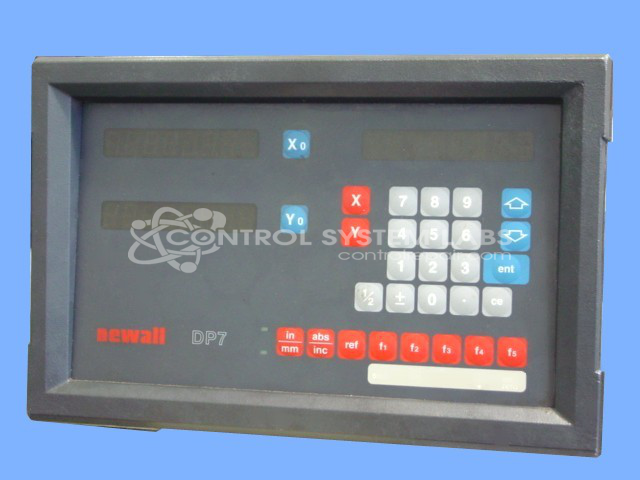
Newall Electronics DP7 DP7 Digital Readout DRO - 2 Axis
Repair
Repair Price: $ 868.00
Purchase
CSL Part Number: 48968
Product Overview: A two-axis digital readout counter that displays precise linear position feedback from encoders or probes. Commonly paired with machine tools such as mills, lathes, and grinders, it supports battery-backed settings retention and simultaneous dual-channel measurement for accurate machining and inspection.
Category: Meters / Gauges / Readouts
Manufacturer: Newall Electronics
Manufacturer Part Number: DP7
Series: DP7 DRO Counter
Common Failures
Common issues reported include incorrect display behavior, unit rebooting when buttons are pressed, power-up failures, and settings being lost. These problems are often associated with component failures, failed resistors, or power supply issues.
Repair Approach
Repairs may involve replacing failed components such as capacitors and resistors, removing solder shorts, repairing chemically damaged traces, and resolving power supply issues. Cleaning and testing for corrosion and ensuring correct battery installation are also common procedures.
Testing & Quality
After repairs, units undergo testing including burn-in testing for several hours to days, depending on the initial problem. This process helps verify that the unit functions correctly, maintains settings over time, and has stable power supply functionality.
Service and repair your broken Newall Electronics part
We can repair your Newall Electronics model DP7 in our facility. Let our skilled technicians get your Newall Electronics back in operation quickly.
Step 1 - Click the green 'Repair Now' button above to add the part and then complete the RMA.
Step 2 - The RMA form will be sent to you via email. Print the RMA form and put it in a box with the item(s) for repair.
Step 3 - Ship or mail the box to the address listed on the RMA.
Once the user has seen at least one product this snippet will be visible.