


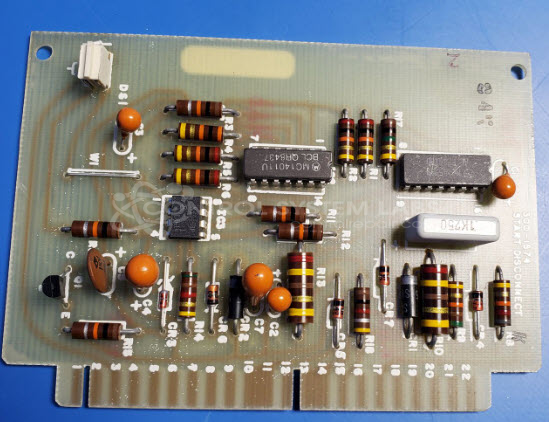
ONAN 300-1574 Start Disconnect Board
Repair
Call for price
Purchase
CSL Part Number: 104548
Product Overview: The Start Disconnect Board (ONAN 300-1574) is a generator control board used in Onan Series UV generator systems. It monitors AC voltage signals and controls power disconnect functions, typically switching output states based on voltage threshold detection around 10Vpp at 400 Hz. This board is commonly found in standby and prime power generator applications where automatic start/stop and safety disconnect controls are required.
Category: Control Board
Manufacturer: ONAN
Manufacturer Synonyms: Cummins
Manufacturer Part Number: 300-1574
Series: Series UV Generator Controls
Common Failures
This product may experience issues with defective components, specifically related to the LED socket, missing LEDs, and poor solder joints. Such defects can result in the LED not functioning correctly or intermittently.
Repair Approach
The repair process typically involves resoldering connections where needed and replacing any missing components such as the green LED. A thorough cleaning and reflow of questionable traces and pads are also performed to ensure integrity and reliability.
Testing & Quality
After repairs, the product undergoes functional verification and burn-in testing to confirm that the LED operates correctly, turning on and off around 10 Vpp. These tests confirm the product's performance and reliability post-repair.
Service and repair your broken ONAN part
We can repair your ONAN model 300-1574 in our facility. Let our skilled technicians get your ONAN back in operation quickly.
Step 1 - Click the green 'Repair Now' button above to add the part and then complete the RMA.
Step 2 - The RMA form will be sent to you via email. Print the RMA form and put it in a box with the item(s) for repair.
Step 3 - Ship or mail the box to the address listed on the RMA.
Once the user has seen at least one product this snippet will be visible.