


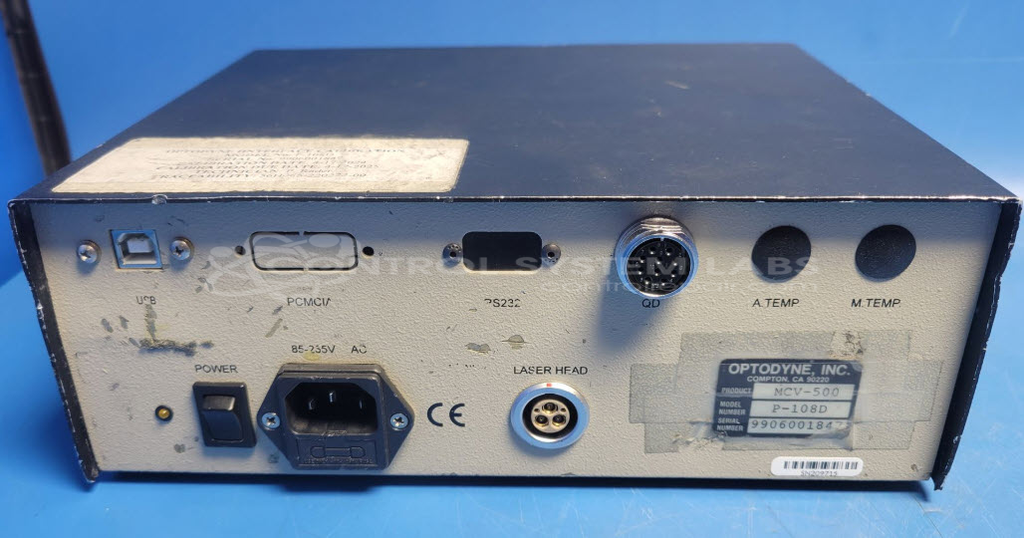
Optodyne P-108D Processor Module with RS232 Interface
Repair
Repair Price: $ 978.00
Purchase
CSL Part Number: 116777
Product Overview: The Optodyne P-108D is a processor module with RS232 interface used as part of the MCV-500 Kit, a laser-based measurement and calibration system. It houses an internal multi-output power supply (5V, ±15V) that powers the measurement electronics and connects to laser sensors and accelerometers for precision metrology applications. The module features a front-panel USB connection for data communication and is commonly deployed in field service environments for machine tool calibration and alignment tasks.
Category: Test Equipment
Manufacturer: Optodyne
Manufacturer Part Number: P-108D
Also Known As(AKA): MCV-500 Kit
Part of the MCV-500 kit, please bring in complete for service.
Common Failures
Units may experience issues with the internal power supply, including blown fuses in the power receptacle. When evaluated, defective internal AC-DC power supply boards have been identified as a contributing factor in some cases.
Repair Approach
When a power supply issue is confirmed, the repair typically involves replacing the defective power supply board with a compatible replacement unit that meets the required pinout, voltages, and power ratings. The main input fuse is also replaced as part of the repair process, and a spare fuse is added to the fuse block. During repairs, rubber feet on the bottom of the case may be replaced if needed.
Testing & Quality
Following power supply replacement, the unit undergoes burn-in testing. A diagnostic test is conducted to verify proper operation. Testing is performed both individually and, when applicable, with customer-supplied equipment to confirm functionality.
Service and repair your broken Optodyne part
We can repair your Optodyne model P-108D in our facility. Let our skilled technicians get your Optodyne back in operation quickly.
Step 1 - Click the green 'Repair Now' button above to add the part and then complete the RMA.
Step 2 - The RMA form will be sent to you via email. Print the RMA form and put it in a box with the item(s) for repair.
Step 3 - Ship or mail the box to the address listed on the RMA.
Once the user has seen at least one product this snippet will be visible.