



Repair
Repair Price: $ 372.00
Purchase
CSL Part Number: 70787
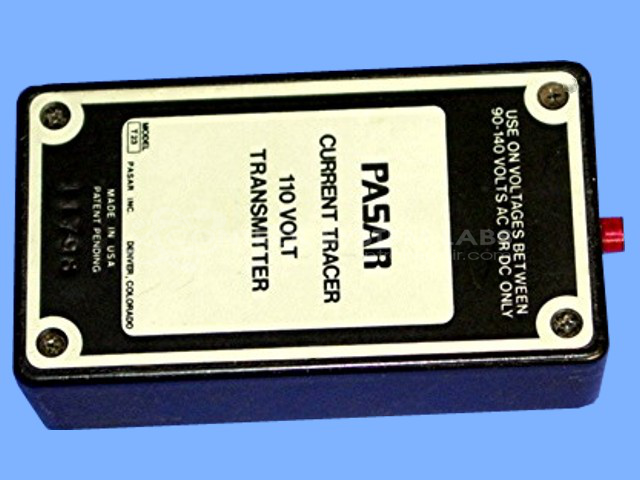
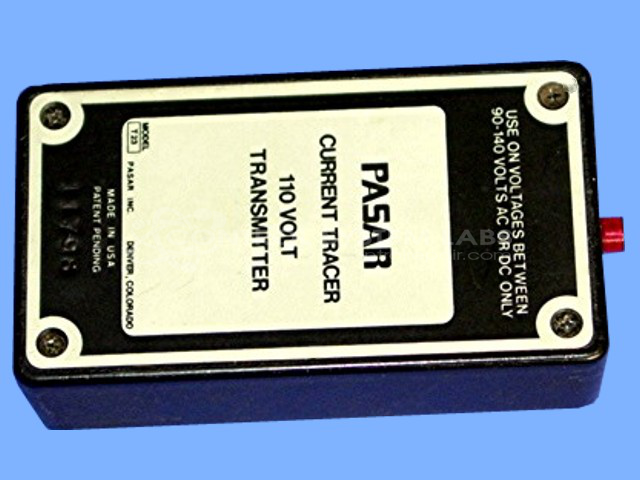
Product Overview: The Current Tracer 110V Transmitter (Pasar T23, also marketed as AMPROBE) is a diagnostic tool used to locate energized conductors and trace current flow in electrical systems. It superimposes a pulsed signal onto live circuits, which can then be detected by a corresponding receiver probe to identify specific wires or cables without de-energization. This transmitter operates on 110V AC and is commonly used by electricians and maintenance personnel for troubleshooting electrical panels, conduit runs, and building wiring systems.
Category: Test Equipment
Manufacturer: Pasar
Manufacturer Part Number: T23
Also Known As(AKA): AMPROBE
Include P23 Current Tracer Probe for testing.
Common Failures
Some common issues observed with this unit include the LED failing to blink and no superimposed signal present while the fuse remains in good condition. These are typical symptoms that may be reported.
Repair Approach
We would be glad to review the item if you are experiencing these symptoms. Once the unit is received and reviewed, our technicians can provide a quotation before any repair work begins. Our evaluation will identify the components requiring attention, which may include inspection of resistors, capacitors, or other related circuitry. If further investigation is needed beyond initial evaluation, we will contact you with our findings and recommendations.
Service and repair your broken Pasar part
We can repair your Pasar model T23 in our facility. Let our skilled technicians get your Pasar back in operation quickly.
Step 1 - Click the green 'Repair Now' button above to add the part and then complete the RMA.
Step 2 - The RMA form will be sent to you via email. Print the RMA form and put it in a box with the item(s) for repair.
Step 3 - Ship or mail the box to the address listed on the RMA.
Once the user has seen at least one product this snippet will be visible.