




Repair
Repair Price: $ 376.00
Purchase
CSL Part Number: 20469
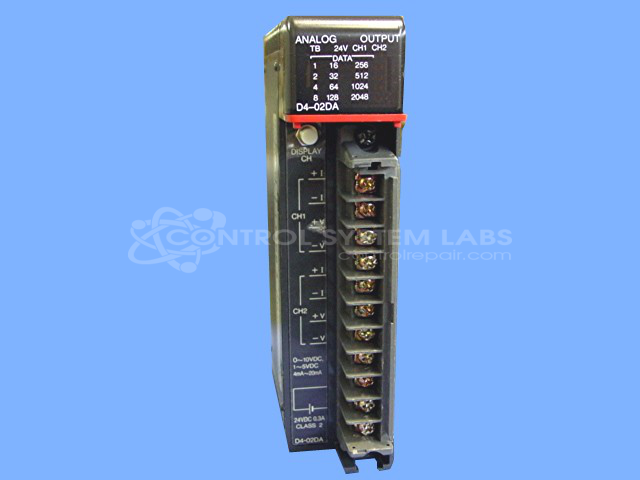
Product Overview: An analog output module for a modular programmable logic controller platform, converting digital control signals into analog voltage or current outputs to drive field devices such as valves, actuators, and variable speed drives. Provides two channels and installs in a compatible PLC base.
Category: Output Card & Modules
Manufacturer: Plc Direct
Manufacturer Part Number: D4-02DA
Series: Series 405 PLC
Brand: Siemens, TI
Common Failures
Common issues reported by customers include units not functioning, control problems, and wave-like interference. Frequently identified causes include faulty or aged electrolytic capacitors. Other issues have involved open resistors or defective integrated circuits leading to input problems.
Repair Approach
The typical repair solution includes replacement of electrolytic capacitors. In cases involving input issues, additional components such as resistors or specific integrated circuits may also be replaced. Repairs include thorough checking and testing, and in many cases, a burn-in process for validation.
Testing & Quality
Each repaired unit undergoes a series of tests, including verification of reported problems. Testing processes often involve a burn-in period ranging from 2 to 3 hours to help ensure reliability and performance post-repair. This approach helps confirm the successful resolution of the issues before units are returned to customers.
Service and repair your broken Plc Direct part
We can repair your Plc Direct model D4-02DA in our facility. Let our skilled technicians get your Plc Direct back in operation quickly.
Step 1 - Click the green 'Repair Now' button above to add the part and then complete the RMA.
Step 2 - The RMA form will be sent to you via email. Print the RMA form and put it in a box with the item(s) for repair.
Step 3 - Ship or mail the box to the address listed on the RMA.
Once the user has seen at least one product this snippet will be visible.