



Repair
Repair Price: $ 850.00
Purchase
CSL Part Number: 27574
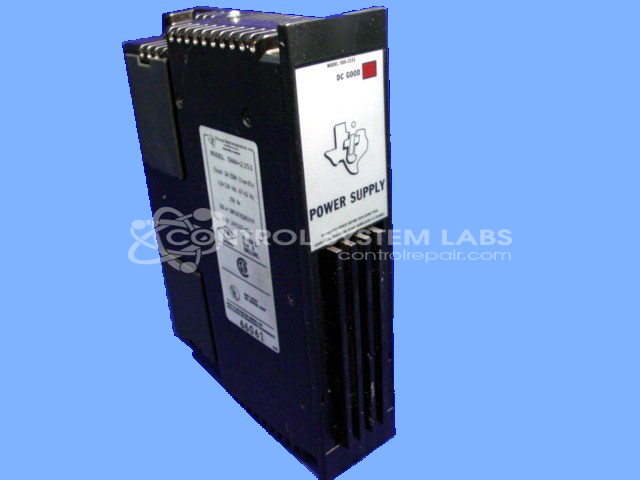
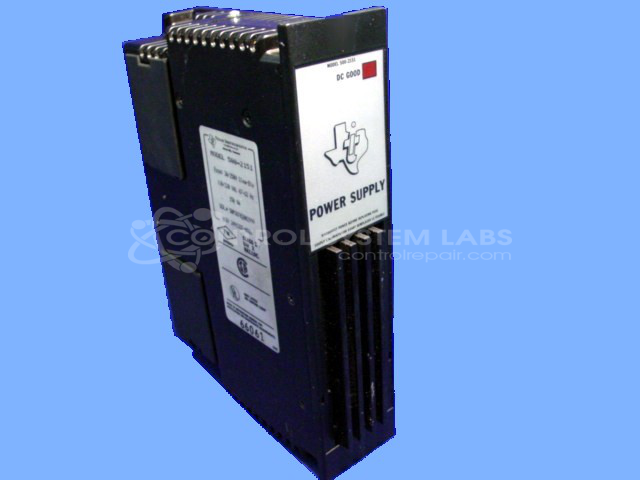
Product Overview: The 500-2151 is a power supply module designed for the Siemens (formerly Texas Instruments) Series 500 PLC system. It provides dual outputs: a -5.0 volt supply and a 5.0 volt supply to power the PLC processor and I/O modules. This unit is essential for maintaining stable operation of Series 500 programmable logic controllers used in industrial automation and process control applications. The power supply features adjustable output voltage regulation and is designed to handle continuous loads up to its rated capacity, typically supporting multiple I/O racks in medium-sized control systems.
Category: Power Supply
Manufacturer: Siemens
Alternate Manufacturer Names: Texas Instruments
Manufacturer Part Number: 500-2151A
Series: Series 500 PLC
Other Synonyms: Texas Instruments
Power supplies are tested with a minimum 4-hour burn-in, under load.
Common Failures
Common issues encountered in this product include overheating, which may be caused by defective components such as capacitors. This can lead to performance degradation.
Repair Approach
We would be glad to review the item once received. Our evaluation process involves inspection and testing to identify the root cause. When faulty components are identified, such as capacitors, they are replaced as part of the repair process.
Testing & Quality
After repairs are completed, units are tested under load conditions to verify proper operation. Testing includes running the supply under varying load levels to confirm that output voltage remains within specification. Once testing is complete, the unit is returned to the customer.
Service and repair your broken Siemens part
We can repair your Siemens model 500-2151A in our facility. Let our skilled technicians get your Siemens back in operation quickly.
Step 1 - Click the green 'Repair Now' button above to add the part and then complete the RMA.
Step 2 - The RMA form will be sent to you via email. Print the RMA form and put it in a box with the item(s) for repair.
Step 3 - Ship or mail the box to the address listed on the RMA.
Once the user has seen at least one product this snippet will be visible.