




Repair
Repair Price: $ 2,552.00
Purchase
CSL Part Number: 116949
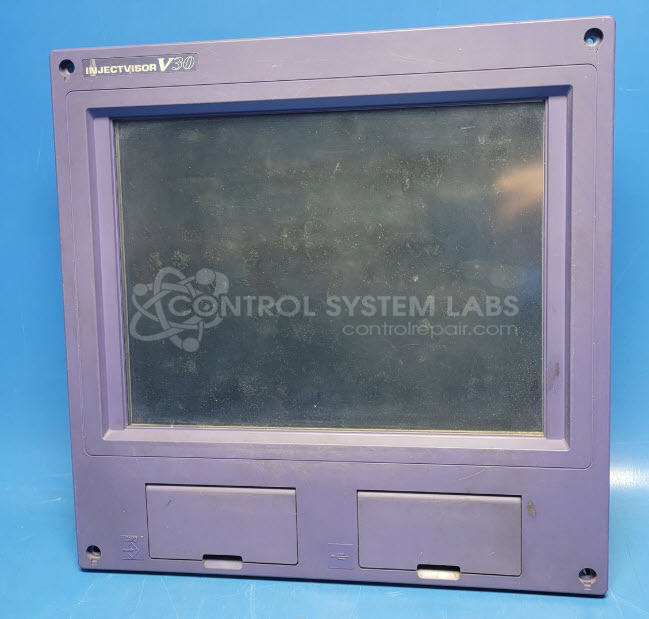
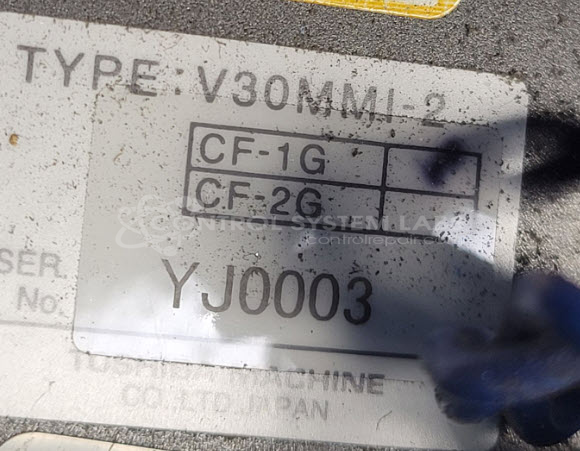
Product Overview: The Injectvisor V30 Machine Controller (model V30MMI-2) is a PC-based human-machine interface and control unit manufactured by Toshiba for injection molding machinery. It features an Intel Atom N455 processor on a PCM-LN02-A10-03-TM02 motherboard with an integrated LCD display panel. This controller manages machine parameters, process monitoring, and operator interaction for plastic injection molding equipment, providing real-time control and data visualization for automated manufacturing operations.
Category: Operator & Control Panels
Manufacturer: Toshiba
Manufacturer Part Number: V30MMI-2
Series: INJECTVISOR Injection Machine Control
Please include the problem you are having with the station. The repair price is for a normal repair and covers the majority of failures. Special repairs such as LCD replacement are quoted after a free evaluation.
Common Failures
The most common issue reported for this product is the LCD screen displaying white. Evaluation may reveal no digital activity upon power-up, with stable power supply voltages but no indication of processor functioning.
Repair Approach
CSL can evaluate the unit to identify the root cause. In some cases, the failure may stem from a processor or motherboard issue. Once the unit is received and reviewed, we can provide a quotation before any repair work begins. Repair outcomes depend on the specific failure found during evaluation.
Testing & Quality
Products undergo diagnostic testing to verify digital activity and assess power supply status. Testing includes verification that all voltages are stable and that the problem does not lie with external components such as the CF card. In some cases, units may be found Beyond Economic Repair (BER) and returned to the customer without repair.
Limited Repair
The Toshiba part number is only available as a limited repair at our facility. Repairs to this item may be limited due to several reasons:
- Availability of parts
- Less than 100% test ability due to required support equipment
To have us attempt a repair on your Toshiba part follow these steps:
Step 1 -
Click the Repair Now button above to add the part and complete the RMA form.
Step 2 -
Print the RMA form that is sent to your email, and put it in the box with the parts for repair.
Step 3 -
Mail the box to the address on the RMA.
After we receive your item, we will perform an inspection and an authorization to repair will be sent for your approval. Work will begin after your authorization is received.
Once the user has seen at least one product this snippet will be visible.